The Baldur’s Gate 3 cheats have been updated!
Changes:
- Action Point Cost Multiplier cheat added
- Weight Impact cheat added
- Minimum Roll Value cheat added
- Roll Bonus cheat added
The Baldur’s Gate 3 cheats have been updated!
Changes:
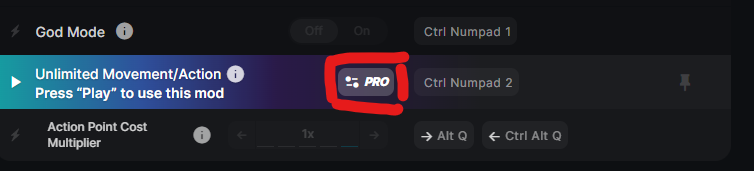
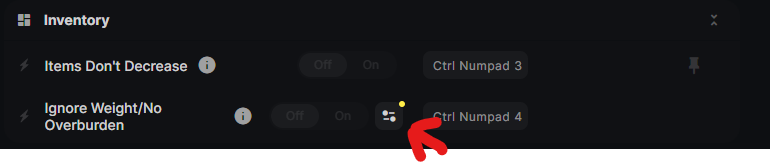
this is how you can see the new options, for those who is still confused and thinks they cant see them
Wanted to point out that should you use the Edit Selected Character: options (they will have overspent attribute points in the 9999s broken numbers that you can’t fix even if you could put them all down to 1) whatever value that it is editing is NOT friendly with withers and you will no longer be able to respec your characters. (Permanently without loading a save file that never used it. Even if you try to reset the value).

That is what the issue caused by editing that particular attribute point value looks like if you try to respec. (2007/2007) in this case. I could actually not seem to get them to go back down even now that I think about it. In the inital session yes but now after saving and it being a different day attempting to set the value to 1 or 0 on the mod changes nothing. Perhaps I needed to use a negative integer now that it is saved over. That may be the only attempted solution to fix any broken characters.
Wemod causes CTD with the new update. Happened 5-6 times within 20 minutes. Tested without running wemod and no issues after hours of gameplay.
Happens when activating or deactivating individual cheats.
None of the cheats are working since the steam update yesterday. I’m assuming this is known already and will be addressed soon but I wanted to bring it up all the same.
It still works for me though there is still the issue I had above with characters no longer being respec’able though I haven’t tried using negative numbers to fix it yet which was something I came up with while reporting it.
(Actually you can’t enter negative integers in the attribute modifier box so that won’t work).
I think the mod needs to edit the base stat of the character instead of the bonus stat for them to respec properly but I am assuming there was some other issue with editing that value or it would have been done that way by default already. Or it could also be thirdly that it would still cause the problem even then because the respec system may not touch attributes at all.
The game doesn’t work for me either. The game freezes after about 30 seconds after activating “Play” (French interface) in WeMod.
I am not sure what I am doing wrong. I just got this mod. I have WeMod Pro
I haven’t tried the other mods but most of them just turn briefly blue and then switch back to grey.
Any advice on what I am doing wrong?
What works for me (and has been posted many many many times on many many many games over the last six years or so) is:
Make sure Overlay is off (there were issues with it crashing when first introduced and I don’t know if it’s been fixed yet)
Make sure you are running the current release (update) of the trainer and game.
Start the game (press play on Steam, then play on launcher, then close launcher once game is running).
ALT-TAB to WeMod and press play on trainer, once in game.
Use the trainer functions.
At least that’s what I have been doing in every game I use WeMod on since I started using the program (before I used the individual creators stand alone trainers). I NEVER start a game through WeMod.
Thanks so much for this info. I am completely new to game modding. I wish this information was available on the WeMod home page so newbies don’t have to go hunting for info.
Like I said, that’s the way I run it.
There’s been games where I run it like this and don’t have problems, but then people post “You’re lucky, because 99% of us do”, and yet the moderators and testers on here still didn’t have issues.
BUT
post back if doing it the way I described helped, if not, then maybe one of the moderators / admins might have another idea.
Yes, it did work! Sorry, I should have said that in my thank-you reply.
Good to hear. Enjoy the game.
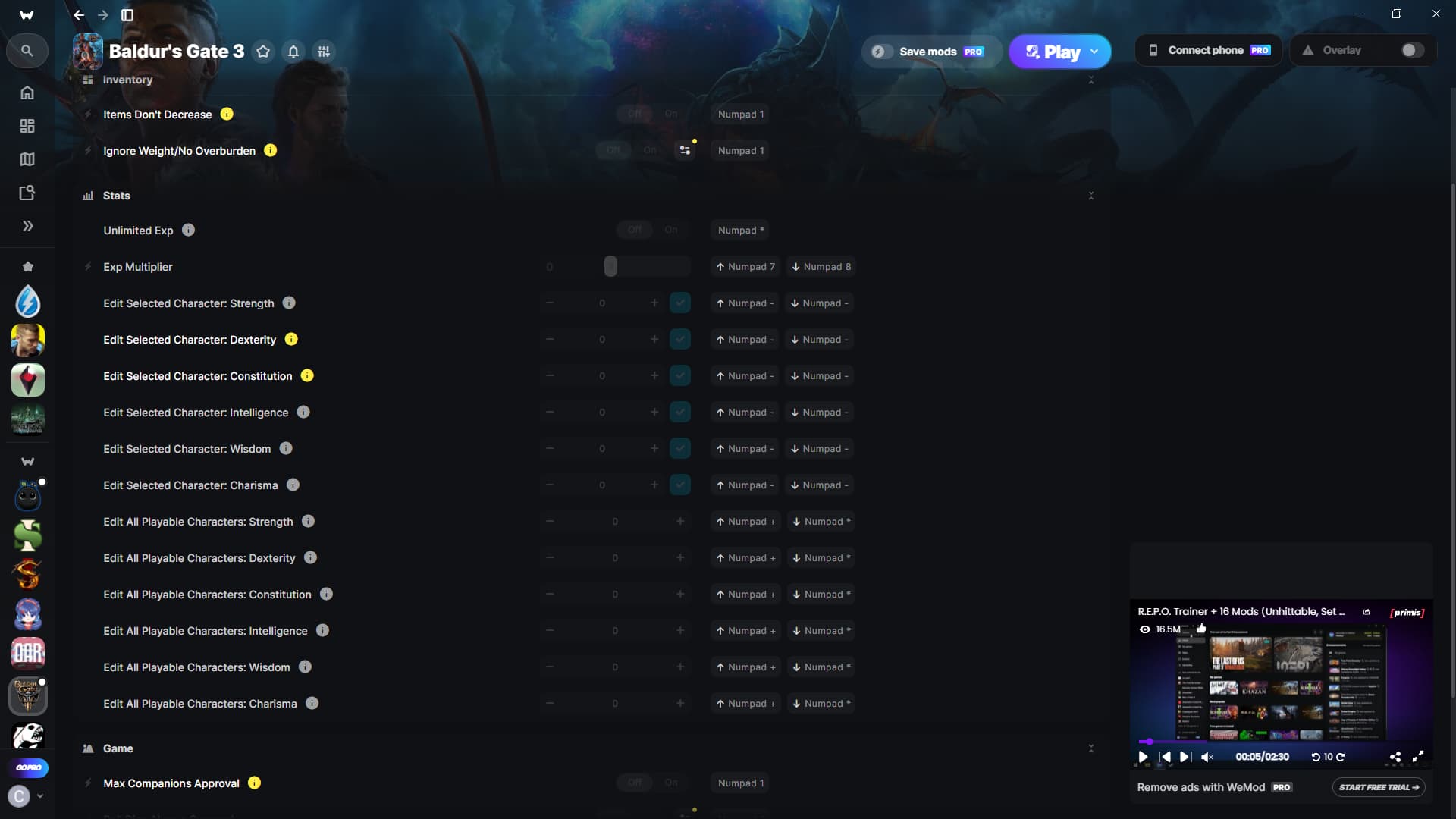
I read through this and I am still at a loss on how to get the selected player stat modifiers to work. No matter how I try to do it, it’s not working. I even wrote my character’s name and copied it and still nothing.
The only way I can alter stats is by doing the everyone option, which isn’t what I want
hey, any possibility of getting this to work for Xbox now that cross save is a thing>?
did you get a reply?
No, I am curious if it is tied to names with spaces, as I got it to work with Shadowheart, but not my custom character, and so far the only thing I can think of is because of the space in their name Example: Character Name
I have yet to test this and will post if I find a connection with that
Would it be possible to change the “Edit Ability Scores” (Strength, Dexterity etc.) so that we can change them to over 30? Installing a mod that increases the limit is easy, and it would be nice to be able to pump them over 30 with WeMod.