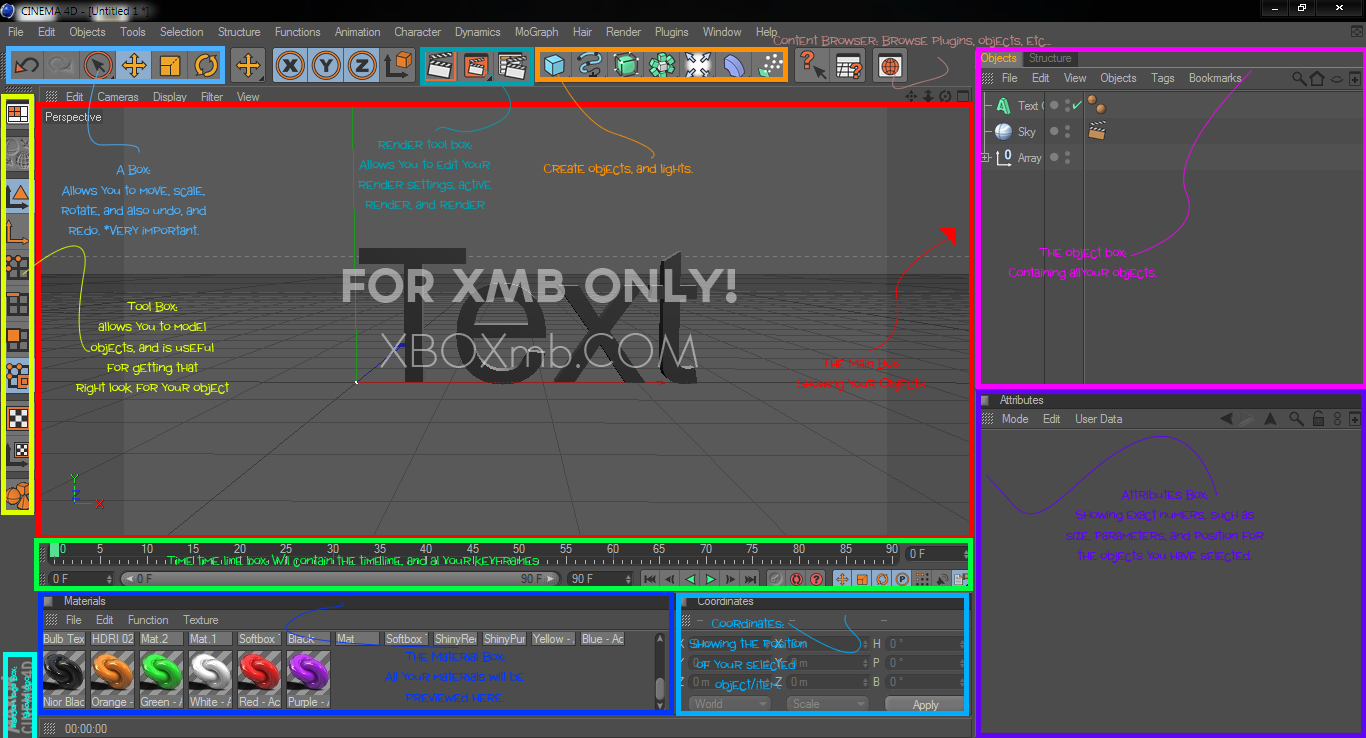
The Interface
Shortcuts
Setting Up Your Scene
-Always have your object centered, it’s a good habit, and it comes in handy.
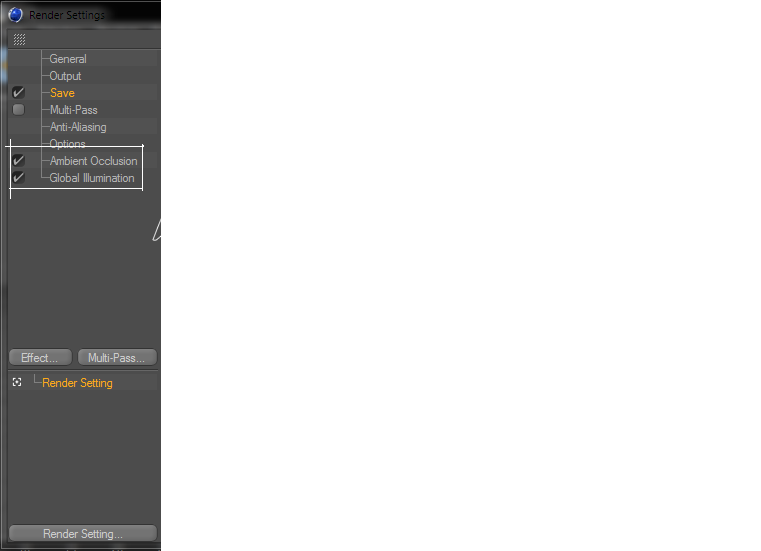
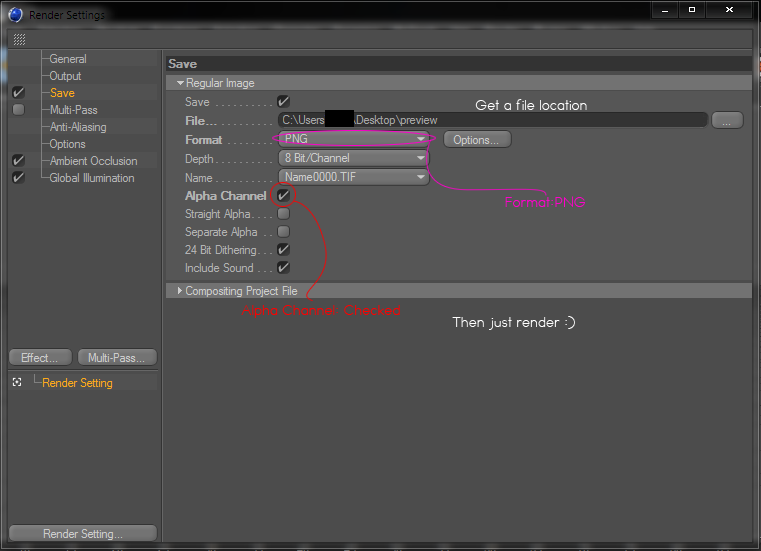
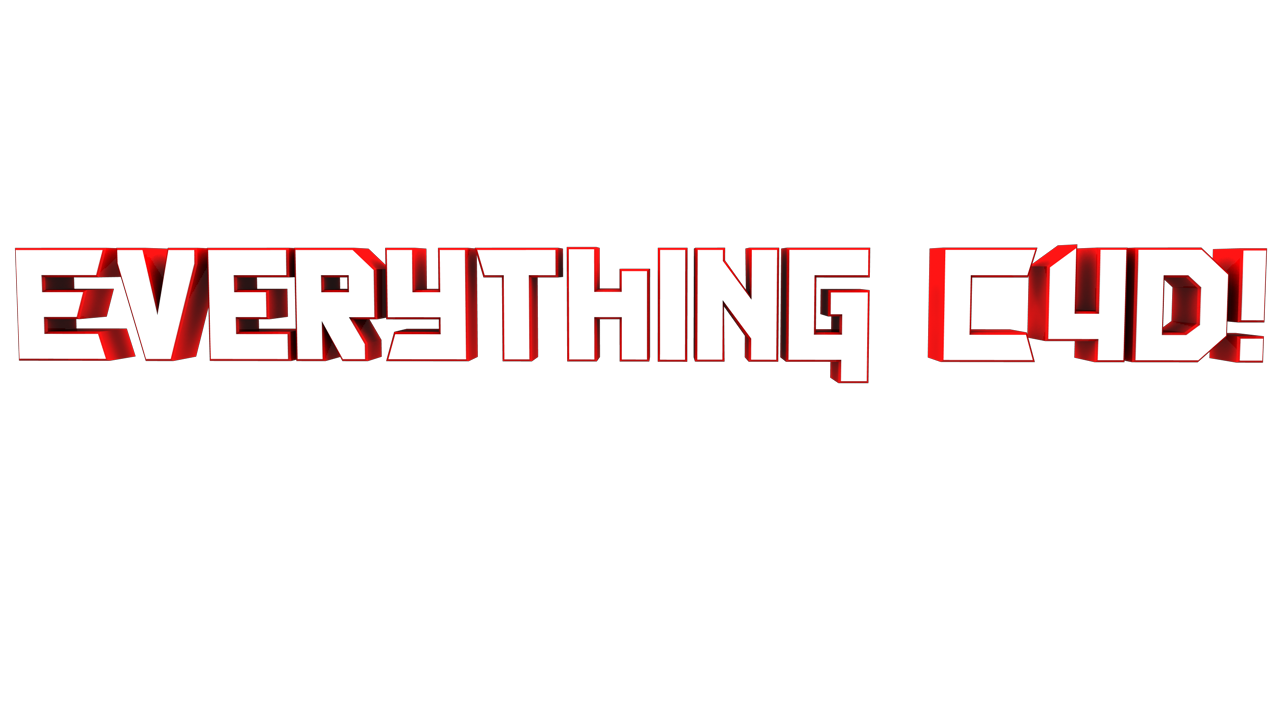
Rendering Transparent
[/IMG]
Creating Advanced C4D Text
http://www.youtube.com/watch?v=aUUJachcEic&feature=mfu_in_order&list=UL
Create fly in text
http://www.youtube.com/watch?v=J8ksz-Jme4g
Setting Up Good Lights
1st:Go to your Content Browser>Cinema 4D>Light Setups>Array Light.
Wallah
Luminance Lights
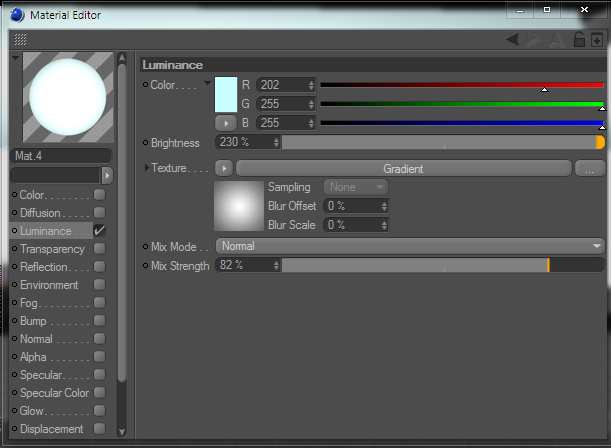
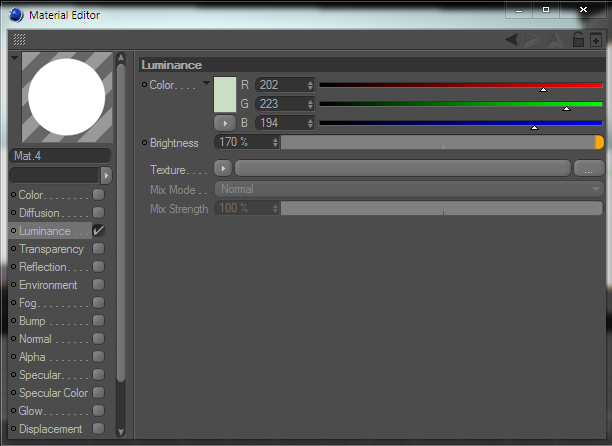
You first want to create a material like this:
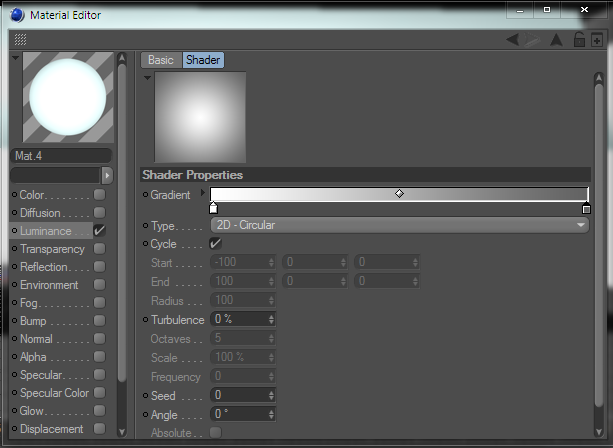
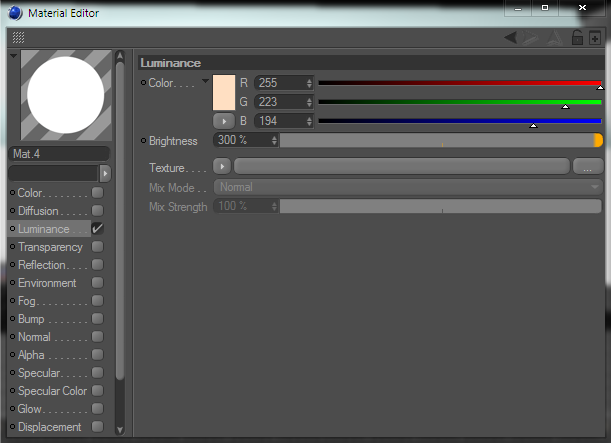
As well as something like this:
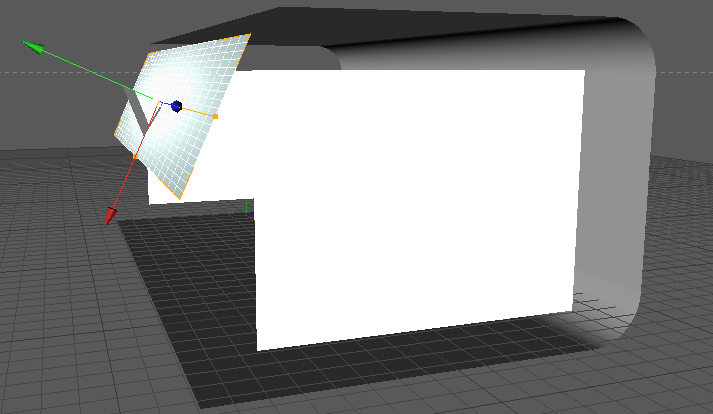
Then create a studio:
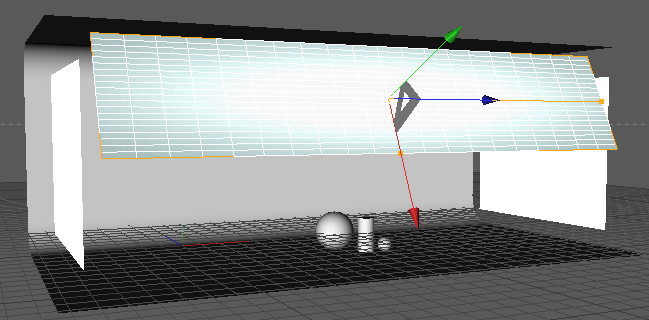
Then create 3 planes like the ones shown:
To the middle plane add the first material you created.
Then on the left plane add the second, and to the right plane add the third.
Adjust the brightness on each one for a better look.
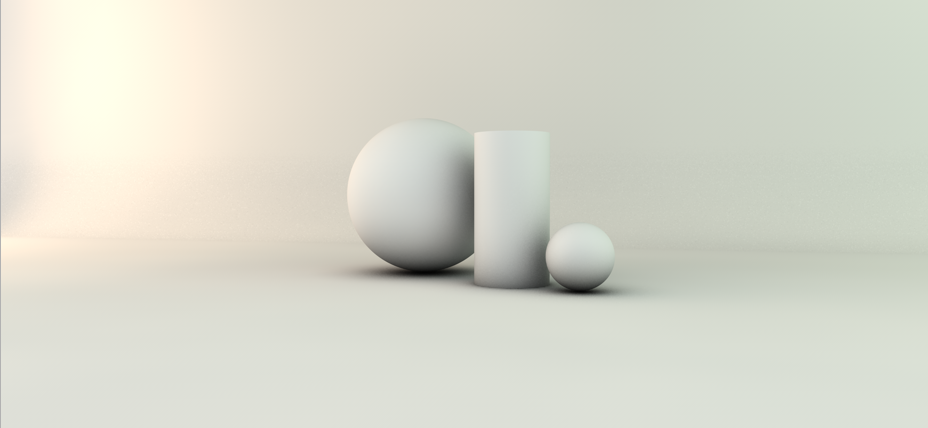
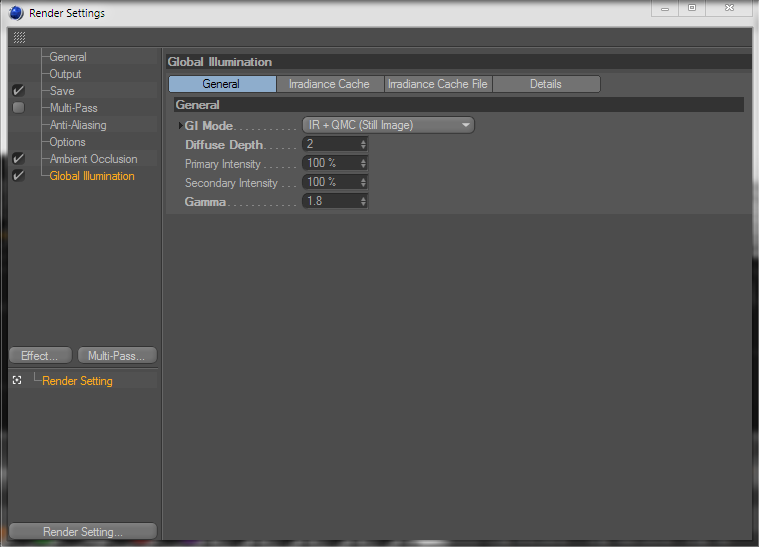
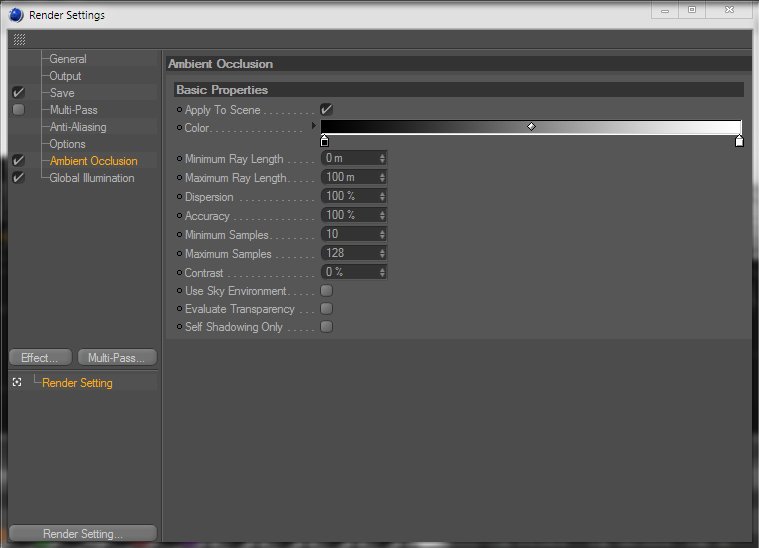
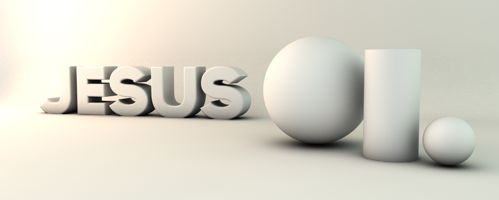
If you have these render settings, it should come out like this:
Wire Frame Effect
http://www.youtube.com/watch?v=QABUEzYViTc
More to come
Changelog
May 14, 2011
May 15,2011
May 16,2011
NOTICE: Will not add anything until I get my computer back, 2 weeks tops.
Thanks Jesus! This will help a lot of people (including me)
Nice! Thanks for posting.
Great Tuts and great post. Keep up the awesome work (:
Daaze
May 15, 2011, 2:16am
6
Do one on, Luminance.
Edit ~ Also do Metaballs
i like maya thats what i was taught in school.
Just added it, will do meta balls later.
Halex
May 15, 2011, 5:21pm
10
Sticky?
Thanks for this Tut JC. Helped me to make this for my cousin. Also gotta say thanks to Exzib too cos his thread helped too.
Nice tut , Im getting better
Cody
May 15, 2011, 8:42pm
13
MY NAMES JESUS AND I MAKE CINEWEINER FOR DEE TITS. DERRR.
Kidding, nice tutorials. Will be referencing this ****.
[b]Thanks man, this answered alot of my questions i was meaning to answer !
Keep up the great Post mate
Ironic
May 29, 2011, 11:37pm
15
Add how to create a studio =3 + beginner physics and dynamics in mograph
Could you add how to make a sexy intro? <3
Not possible, it would go into too many programs.
iJosh
June 7, 2011, 4:14pm
18
I love this thread. It taught me so much. There are still a few things I need help on, I’ll edit this post with the ones.
EDIT: Here: 1st:Go to your Content Browser>Cinema 4D>Light Setups>Array Light.
Whats my content browser and how do I get to it? :S
And with the fly in text, It won’t let me “Check” those circles. Why is that?
Thanks for a great tutorial.
So much thanks!!! This has helped me a lot





 [/b]
[/b]