[size=25]
[b]You have to have your drive flashed on LT 2.0 [/size]
[details=Open Me]If you are using cheap media and cant get 2.4x burn speeds then try this
WARNING: Using patched firmware might damage your drive and will void your warranty. You do this at your own risk
[size=14][b]PreHacked Burner Max FW
RITEK S04-66 x2.4
IHAS 124 - 624
Download
(Please Note: No Longer supports RITEK D01-001)
RICOHJPN-D01-067 x2.4
IHAS 124 - 624
Download
(Please Note: No longer supports RICOHJPN D00-001)[/b][/size]MBIPG101-R10-65 [b]x2.4
IHAS 124 - 624
Download
(Please Note: No longer supports RITEK D01-001)
Thanks Voc1967 for this disk info :thumb:
CMC MAG-D03-64 x2.4
IHAS 124 - 624
Download
(Please Note: No longer supports CMC MAG D01-00)
UMEDISC DL1-064 x2.4
IHAS 124 - 624
Download
(Please Note:No longer supports ISSM D00-001)
RITEK D03-130 x2.4
IHAS 124 - 624
Download
(Please Note: No longer supports ISSM D00-001)[/b][size=14]
PM me with requests, Please include the media ID of the disks you are using 
Massive thanks to C4eva for providing the Burner Max FW
[/size]
First off you need to start by downloading and opening MCSE MEGAUPLOAD - The leading online storage and file delivery service
Once open you need to load the Burner Max firmware for your drive
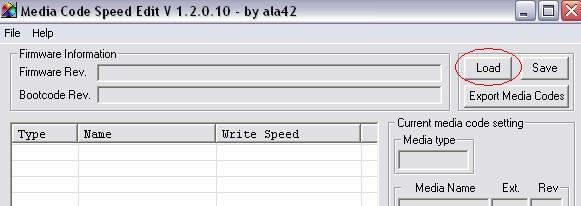
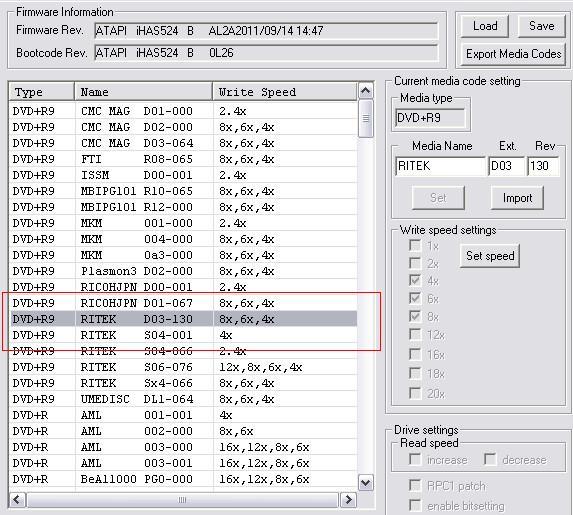
Once you firmware has loaded you will see all the speeds/media types supported by your burner
You need to double click the name of the media you would like to change (your disks)
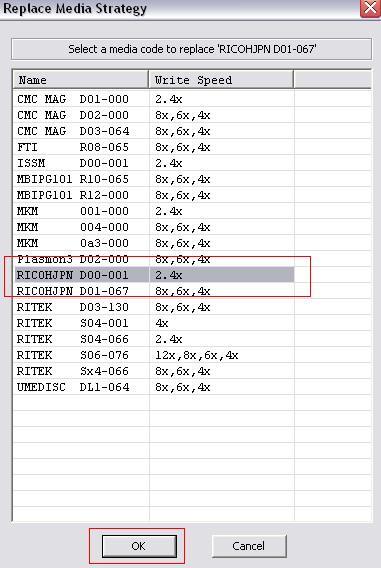
Then you will be asked to select a media type to replace
Choose 1 with a 2.4x speed and click ok (NOTE: The Media you take the speeds from will no longer be supported on your burner)
You will then be presented with this: Click yes

Your selected media now has 2.4x
Click save and when prompted to continue click yes
Save the modified firmware and flash to your iHAS burner as normal
I hope this makes it a little easier for you guy’s having problems
Also to people still having problems try this great tut by BOOMERCE to change the advanced settings
http://www.xbox360iso.com/updated-tutorial-practical-t486092.html
If you would like to test your backups then please refer to PREBELGIAN’s tut
http://www.xbox360iso.com/test-your-xgd3-t482327.htmlRemember to +REP them if you use :thumb:
Thought it maybe useful to others
Thanks to djnateb &stevieboy1000087@hotmail.for the info
:thumb:[/details]
Now these are the settings needed to burn the cheap disks
First of all, you must get a Lite-On iHASx24 DVD burner (or their clones such as ASUS DRW-24B3ST, MSI DH-24AS B and so on) and flash iXtreme Burner Max firmware.
If you want a lower speed, say 2.4x, on some media, to increase success rate, please refer the tutorial by fodubble at http://www.xbox360iso.com/burner-max-get-t486651.html
After flash, run ImgBurn 2.5.6.0 (future higher version will also do).
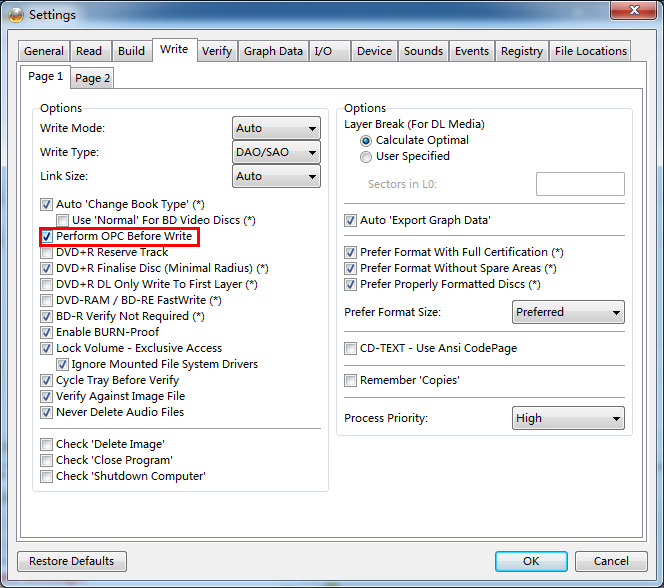
0.Turn on or off Tools -> Settings -> Write -> Perform OPC Before Write, different disc will have different success rate with this option on or off.
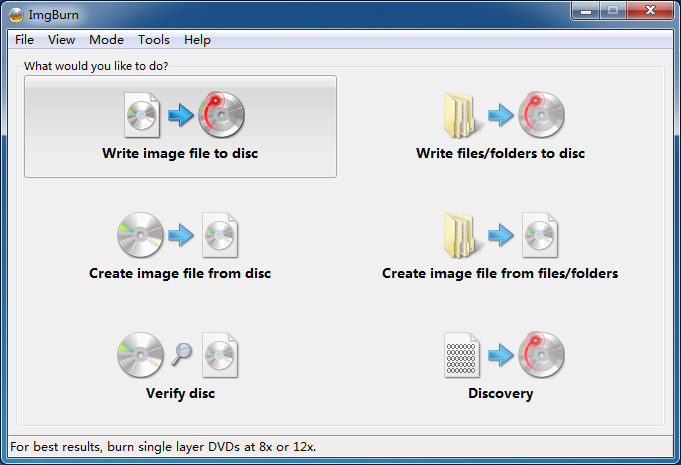
1.Select “Write image file to disc” as usual.
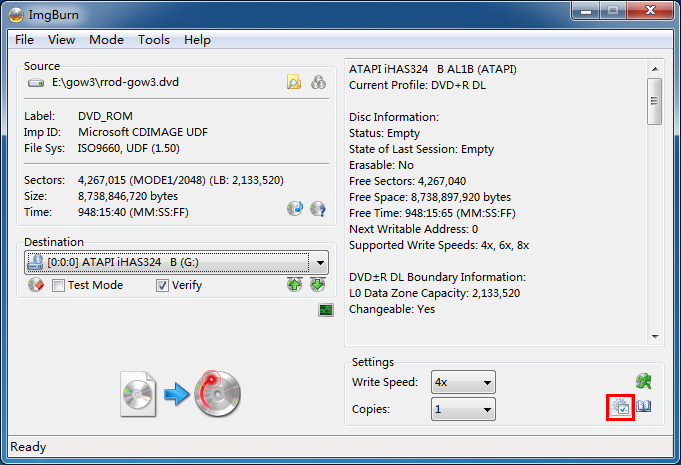
2.Click “Advanced Settings” button in bottom right corner. (Marked red in screenshot)
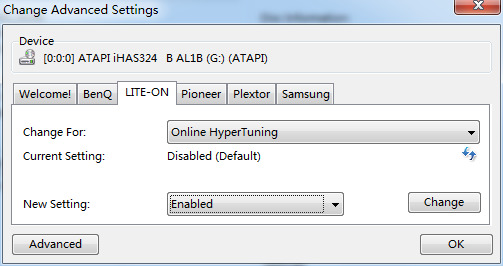
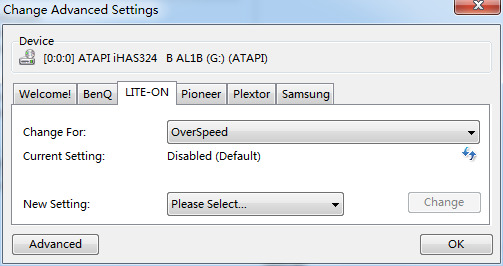
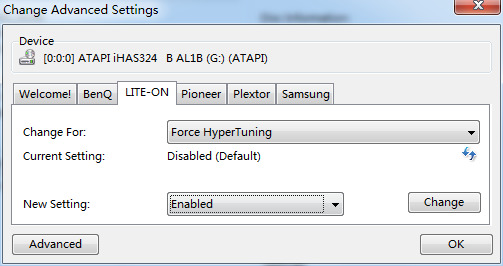
3.Open Lite-On panel in Advanced Settings. It is required to click the individual “Change” button if you changed any setting item and a “Success” message will pop up to confirm the change.
- Turn on Online HyperTuning
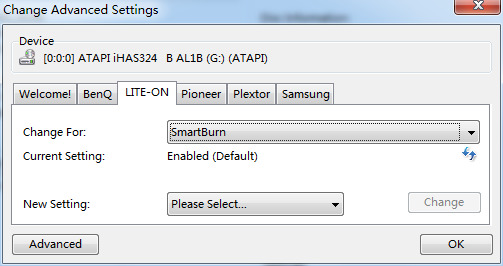
- Turn on SmartBurn
- Turn off OverSpeed
- Turn on or off Force HyperTuning (same reason as OPC mentioned in step 0)
Now you are ready to go! Enjoy XGD3 backups dear friends:bounce:
[/details]
[b]Lets start you will need a new PC dvd burner
[b]Here is a video tutorial on how to flash the drive
You will need verbatim dvd+r dl disk
best and cheapest place to get them is ebay pack of 25 for £19 other wise it will be a lot harder to get working
[b]Now go on img[/b]
