Vid took a LOT of work, at least a Like <3
Hard Link: YouTube - How To COMPLETELY Customize Your Windows 7 Experience!
http://www.youtube.com/watch?v=4IQT03toXig
Specific Tuts w/ Pictures
How To Disable UAC (User Account Controls)
Hit your start button and type in “UAC” in to the search bar.
Click the link I have highlighted in the picture.
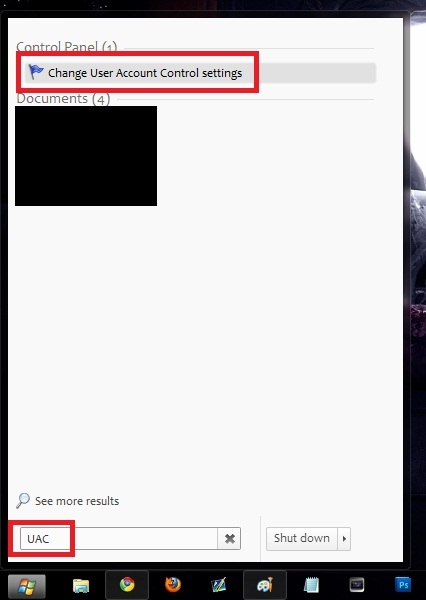
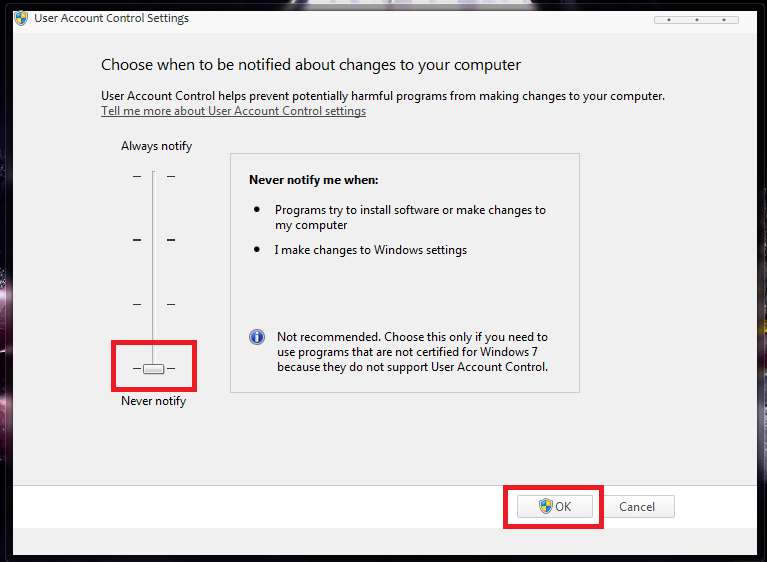
Once it’s open, make sure to set it to “Never Notify” and hit OK.
You will need to reboot your computer.
How To Patch Your Computer For 3rd Party Content
Open up the “Universal Theme Patcher” folder.
Choose the theme patcher in accordance with your computer’s Bit-System (32 or 64).

Pick the region your computer is, and then confirm opening the program by hitting OK.
Once open, you’re going to click “Patch” for all three sections.
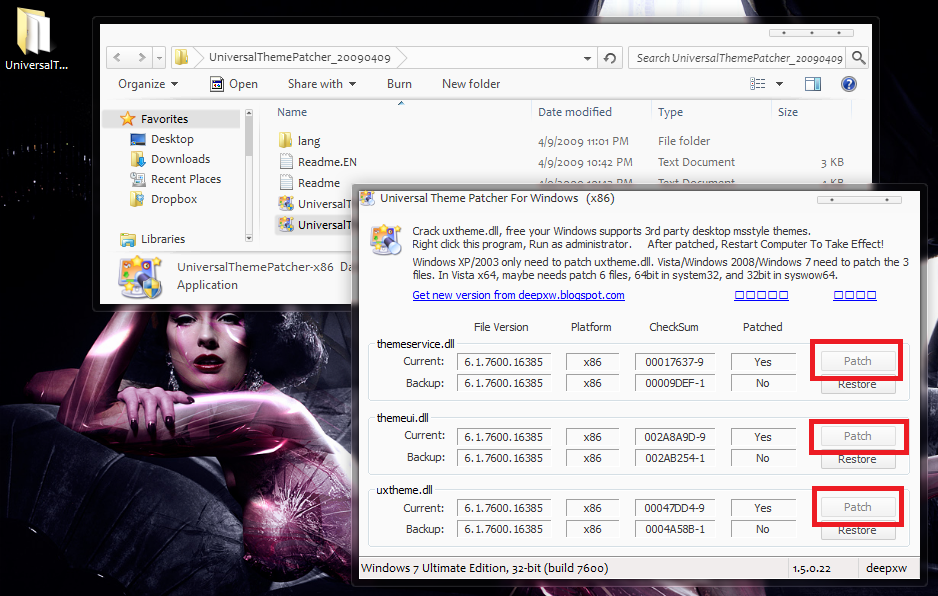
After you click “Patch” you should be prompted with a confirmation each time, just hit OK.
After all of your files are patched, it will ask you to reboot. You need to do this.
Hot To Change Your Boot-Up/Shut-Down Background
Open the “Windows Startup BG Changer Folder” and run the application.

Click on “Choose Folder” and pick which ever folder holds the pic you want as the background.

Once chosen, click OK and all the pics in that folder should show up in the selector.

Choose the picture you want and click “Apply”. It should begin doing so.

How To Change Your Start Orb
Start off by opening the application. Be sure to have your downloaded Orbs at the ready.
This is a good source for them: Click HERE

Click the button to the right of “Select and Change Start Button” and choose the orbs you downloaded.
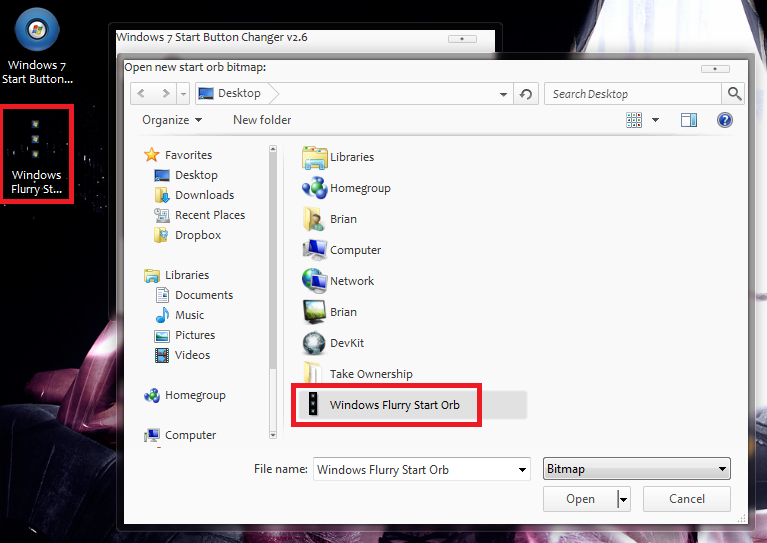
After you choose it, your explorer will restart and the orb will be applied.
You can delete the Orbs off your desktop after they are applied.
Also, if at anytime you want to return to your original orb, just choose the option in the app.
How Apply a Downloaded Theme
Download a theme from the internet. This is the best source: Click HERE
Open up the theme on your desktop. Some themes will have multiple versions.
They usually depend on whether your taskbar is mounted on the top or bottom of your screen.

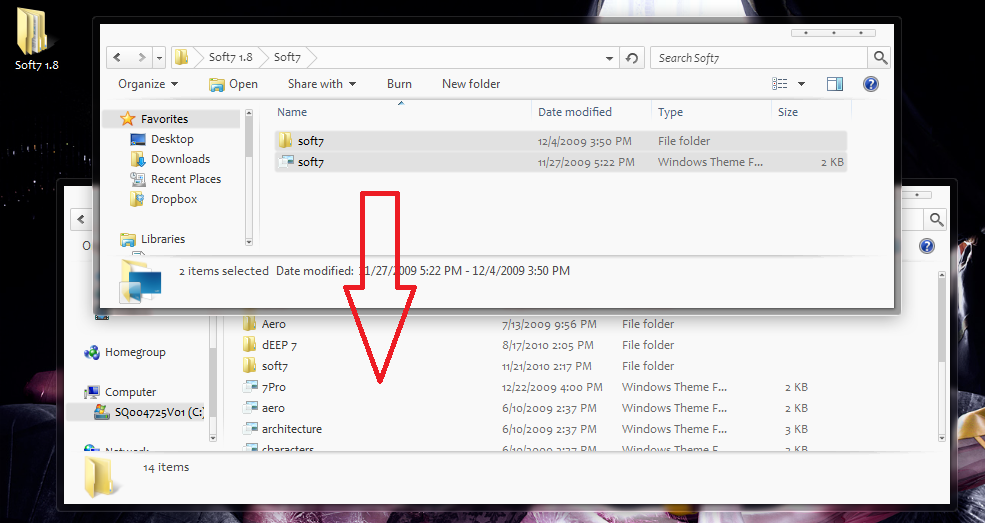
You need to find 2 things:
A .theme file, and a folder which will almost always have the same name.

Now you need to navigate to this folder on your computer:

After you are there, you’re going to put the .theme file and the folder in with the other themes.
From the desktop, right click and click “Personalize”.
Your theme should be in a tab called “Installed Themes”.
If you don’t see it, you didn’t patch your files correctly.


