]Hey Guys Fusionz here this is a tutorial i wrote back in like minecraft 1.5 for TTG but due to me leaving TTG for XMB i decided to post it here  enjoy
enjoy
Ok So Here We Go:
Step 1: Download MCSkin Edit From The Download Section at the bottom of this post
Step 2:Unzip And Open The Executable Jar File
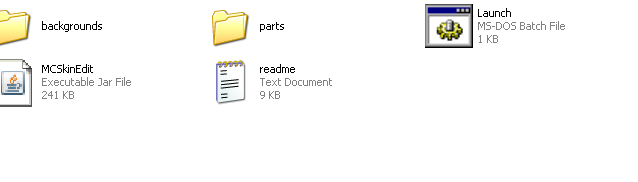
Step 3: Ok Now Click Settings/BackGround Image/And Char_Lined
Step 4: Think Of A Basic Idea For This Tutorial I Will Be Making The Standard Character In Different Colours
Step 5: Ok Now Use The 1 Pixel Square Brush And Start Drawing!
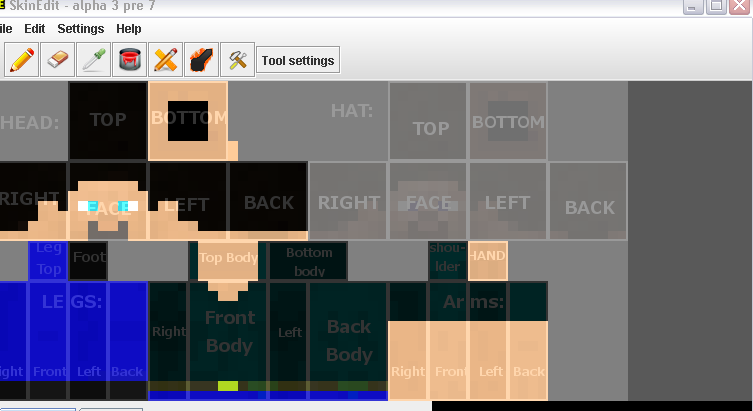
Step 6: Around 10 Minutes Later You Should Have A Nice SKin Almost Finished Heres Mine:
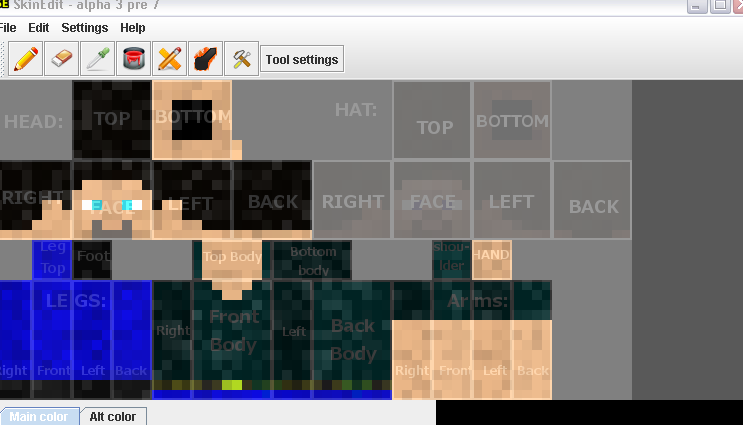
Step 7: Click Edit Then Add Noise Set To 50 And It Will Look Better
Step 8: Click File Save As And Name It Skin.png
Step 9: Go To Minecraft.net Log In Then Hit Profile
Step 10: Hit Choose File And Select Your Skin
Step 11: Hit Upload Image Then Close And Go To Minecraft And Have Fun!!!
Downloads:
MC Skin Edit: MEGAUPLOAD - The leading online storage and file delivery service
Mc Skin Edit VIRUS SCAN: VirusTotal - Free Online Virus, Malware and URL Scanner
Thanks Guys I Hope You Enjoyed


