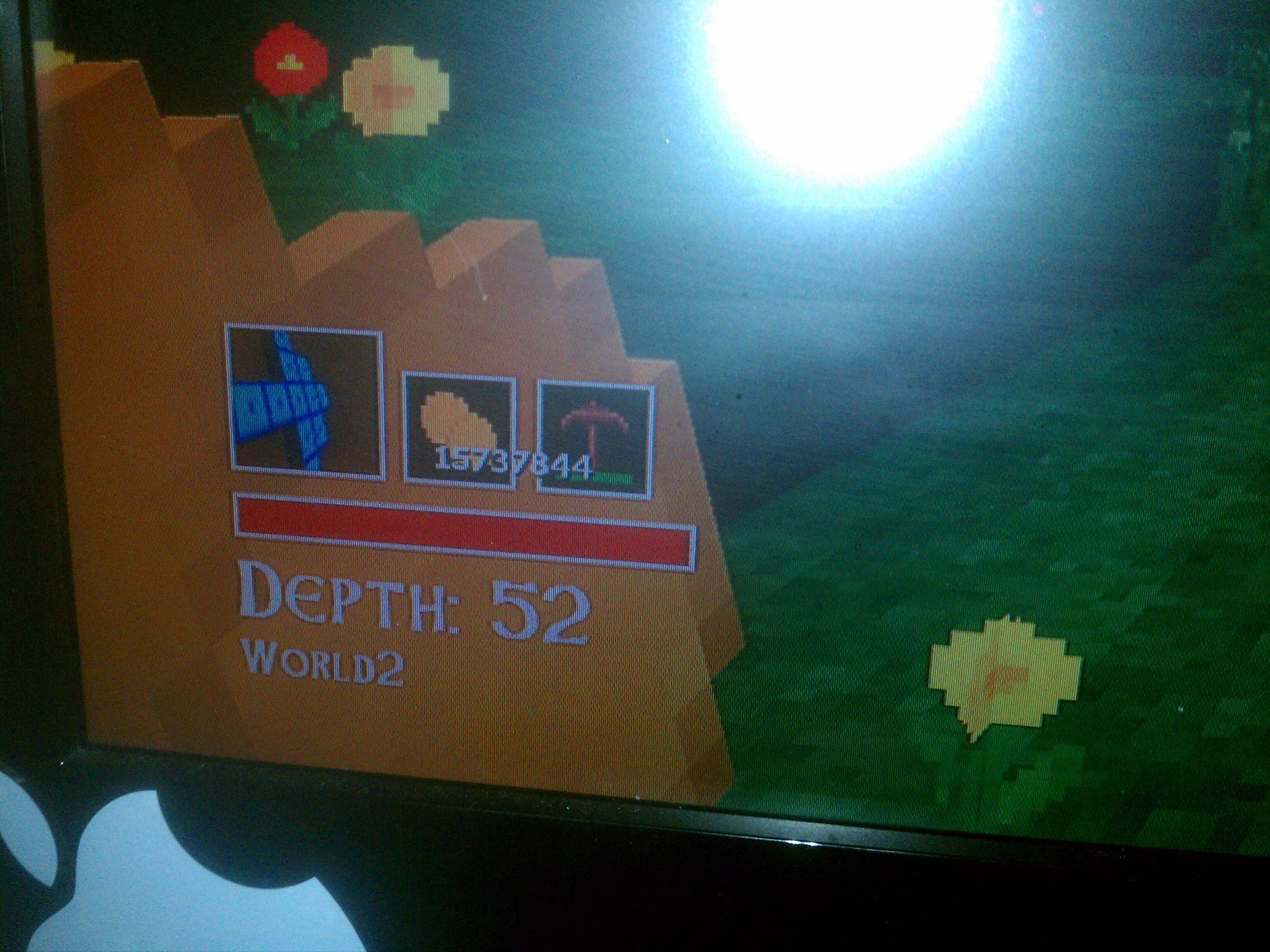
Okay, so I’m bored. So I’ll be making this tutorial.
Today, we’ll be learning how to mod our Gold on Total Miner.
I’ll make a tool for this (Or try to)
If someone wants to donate $5 to me to get points. Lol. PM me if you’re nice enough<3
There’s a few other things we’ll learn in the process, such as:
-How to use HxD
-Learning hex decimals, and decimals.
-How to use Horizon’s package manager.
-Few other stuff.
Things you’ll need:
-Windows calculator (Or online hex to decimal converter)
-HxD (Or any hex editing software)
-Horizon
-Your amount of Gold on your current Total Miner save!
First
Take your save off your hard drive using Horizon. (Or any device explorer for that matter.)
Second
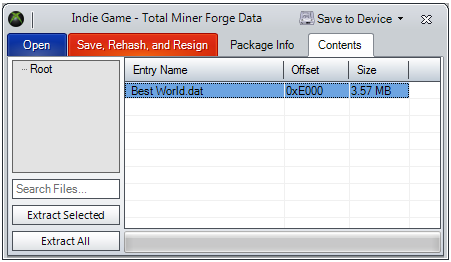
Open that save using Horizon, then navigate to the “Contents” tab.
Now right-click the world.dat and select “Extract”.
Now you should have a .dat file from the save.
Third
Lets open that .dat file in HxD. Let that sit for now.
Fourth
Get your number of Gold and open Calculator.
Go to “View” then select “Programmer”.
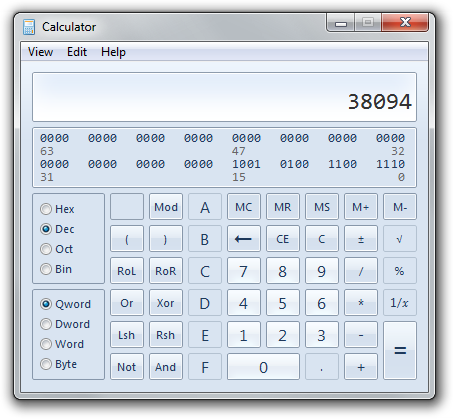
On the left side you’ll see “Hex”, “Dec”, “Oct” and “Bin”. Make sure “Dec” is selected!
Now enter your amount of Gold, in my case 38094.
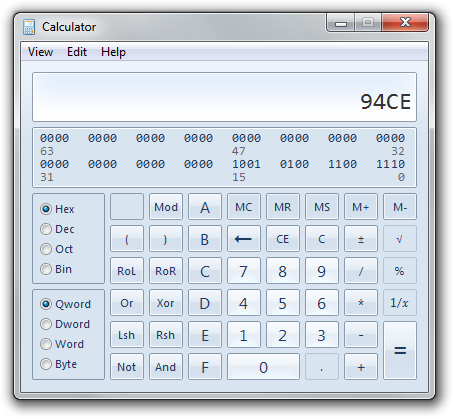
Once entered change the right side to “Hex”.
Now you should get your hex decimal. In my case 94CE.
Put that somewhere.
Note: As an alternative you can use an online converter, found below.
hexadecimal conversion, convert decimal to hexadecimal
Fifth
Go back to HxD and hit CTRL+F or just go to “Search” then “Find”.
For “Datatype” choose “Integer Number”. Set the direction to “All”.
For “Bandwith” change it to “32 Bit Double Word (LongInt)” and keep it Little Endian.
Now put 0x[hex value from before] so, mine would be 0x94CE.
Because I had 38094 Gold and that decimal converted to hex is 94CE.
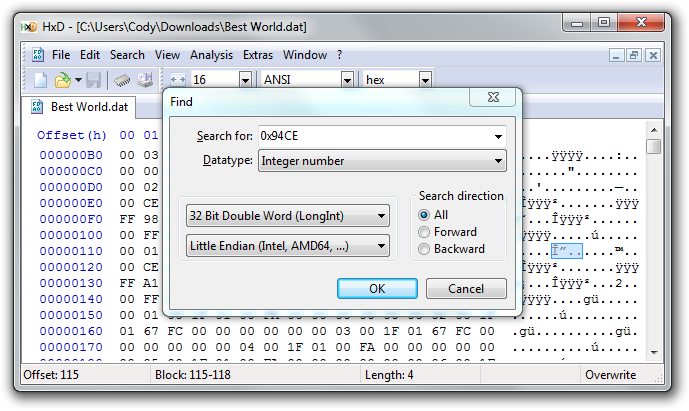
Then click find, if all went well you should have ONE instance.
Sixth
Once you’ve found your Gold in your save, choose the amount of Gold you want.
Go back into calculator, then enter your number (Make sure “Dec” is selected) and convert it to hex.
For this, I’ll give myself 100,000 Gold.
So 100,000 in hex is 186A0.
Now enter that string into HxD at the start of your existing Gold.
If your number is smaller or if there’s leftover bytes (That aren’t null) null them out using zero.
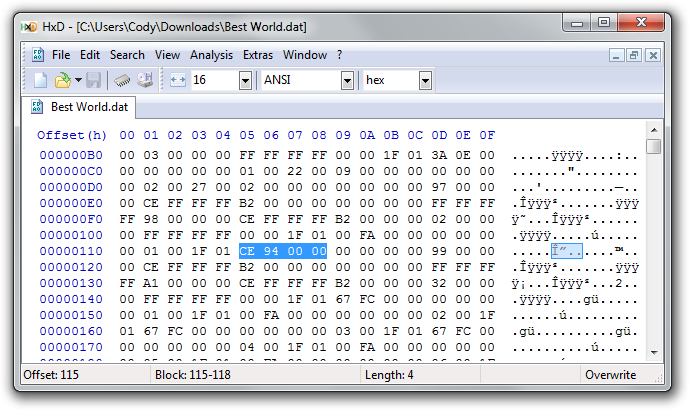
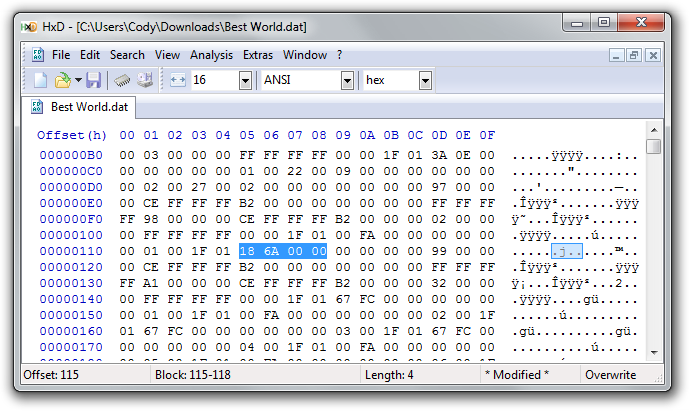
Now hit CTRL+S to save. Or just go to"File" then “Save”.
HxD will make a .bak and a .dat. You want the .dat file.
Seventh
Now open your save in Horizon again. (Not the .dat file) and inject your .dat file!
Do this by going back into the “Contents” tab and right-clicking the .dat file and choose “Replace”. Now choose your new .dat file! (Not the .dat.bak file)
Now rehash and resign and put back onto your device.


 Anyways if your going to troll do it right.
 but good tutorial.