There seem to be quite a few things going wrong with my Infinity after the new look.
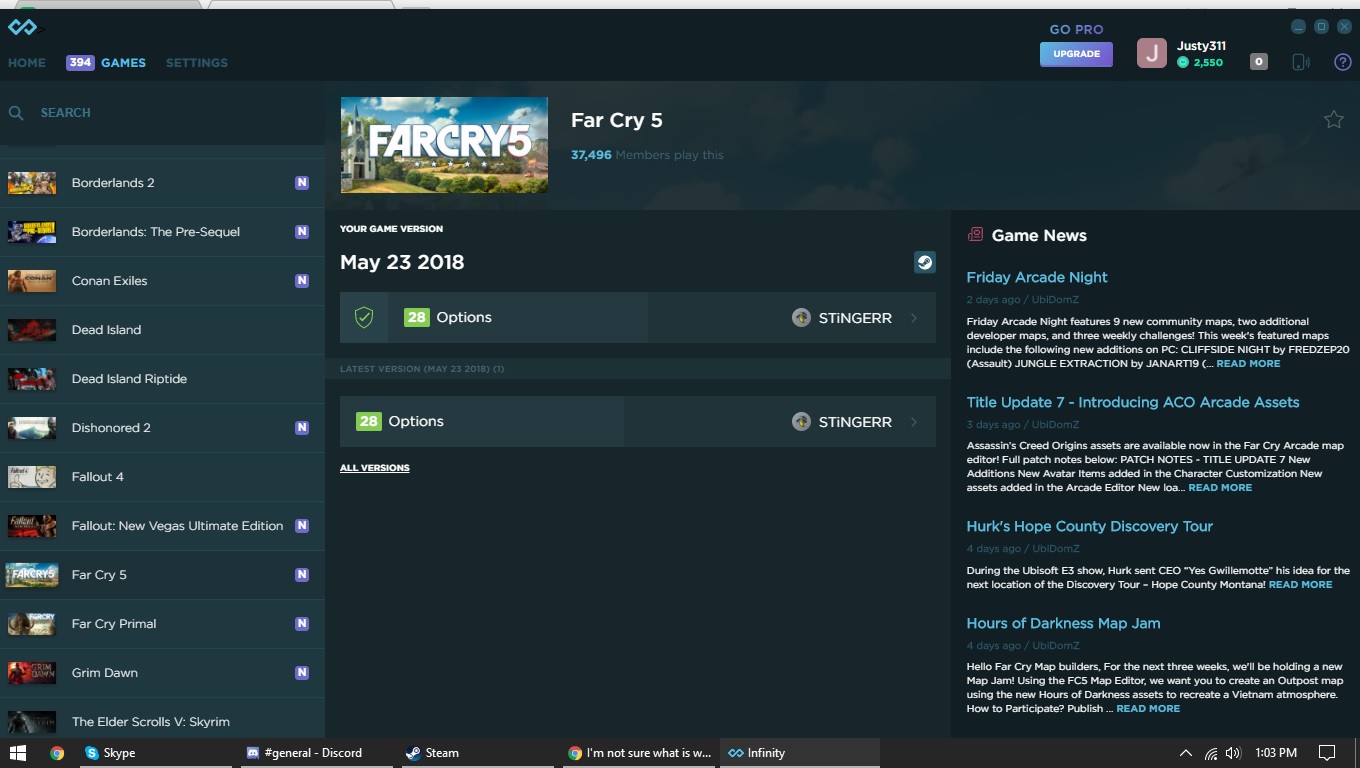
For starters, games constantly have the N marker on them even if I go into the trainers and view the cheats. (Also if it hasn’t been mentioned a ‘mark all as seen’ option would be nice so I would know what’s a new update.)
Secondly the versions that Infinity claim I have of the games, don’t seem to match the updates I’ve gotten on my computer. For example, Far Cry 5 says that my version is from May 23 2018, when I was just updated a bit ago with the AC items and I have the DLC. (steam version)
Lastly and probably most puzzling, when I click on the ‘all versions’ tab… the dates are really, really wacked out. Far Cry 5 shows an update from 1992. Borderlands 2 shows an update from 1969. Skyrim also shows an update from 1969.
I’m… at a loss. I’m not even sure where to begin.
Edit: Oh and also the forums is telling me I can’t reply to a post because ‘New users can only reply 3 times.’ even though it’s a post I’ve replied too about 5 or more times.
Not sure why that’s happening. Clearing the cache might help. the N marker goes away for me as soon as I click on the game.
Do you have Version guard installed?
This is not a Infinity bug or anything. This is because of the game devs. Something about not specifying the creation time or something. Frank knows how exactly to word it.
I do not have version guard installed. I was under the impression that all that really did is allowed me to go back to a previous version though. Which isn’t the problem. I seem to be stuck at a previous version.
As you can see here. Says my game version is May 23 2018, but it’s up to date and the last update was a few days back when the introduced the new AC stuff and all that, plus I have the DLC, so it was at least updated for that.
You can also see (sorta) how things are keeping the N tag even though I’m clicking on them.
Try deleting the cache folder.
C:\Users\usernam\AppData\Roaming\Infinity
Maybe that’ll fix it? Delete the app folder in there aswell seems like it holds the trainer.dll
Maybe that will force Infinity to update what version you’re on
This was fixed in a newer version of Infinity, but I can double check. Make sure you’re on v4.0.12 in app settings.
Infinity determines game versions by reading the time a specific file was compiled by the game developers. The file is determined by the trainer creator. It’s possible for the game developers to release a game update without recompiling the file, causing the time to remain old. For newer trainers, we are moving to a file version-based system wherever possible (e.g. 1.2.3.4) - instead of the old timestamp way. However, all the trainers before the big Infinity update were based on compile times, so we’re stuck with those for those games.
Some games have files with a timestamp of 0, which winds up being that year. I’m not sure why they strip the time from it. This is related to the previous issue.
That’s dumb. I’ll fix it.
Version Guard is explicitly disabled for Far Cry 5 because of the patching that has to be done before the trainer launches. Currently, Version Guard doesn’t allow those patches.
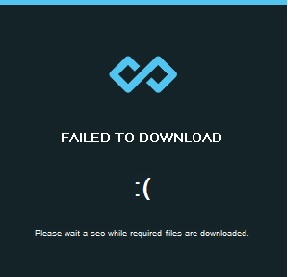
Okay, thanks for all the answers. Unfortunately I still cannot seem to redownload/install Infinity. Even with AV fully disabled (not even running in the tray) when I download the 50 mb file it seems fine, when I click on it to start the setup it comes up with
I’ve tried multiple times, done multiple reboots, and even downloaded the setup a few times. Think I’m up to (3) so 4 times.
Thanks. That seemed to do the trick. I at least have infinity back now. Not sure if it’s something on my end or if the download just isn’t working on the main page but that link worked and it seems the rest is working as intended, I suppose. I was just deeply confused by the really old dates both in my version and other trainers areas.