This is the official discussion topic of the
LEGO Batman: Legacy of the Dark Knight Trainer and Cheats in the
WeMod app. Please post any suggestions, bug reports, or praise that you may have for the cheats in here!
Download the trainer or find it in the WeMod app.
Trainer Options and Cheats:
1. Unlimited Health
2. Refill Health
3. Add Health
4. Unlimited Bat-Focus
5. Refill Bat-Focus
6. Add Bat-Focus
7. God Mode
8. Unlimited Studs
9. Keep Studs On Death
10. Add Studs
11. Unlimited Chips
12. Add Chips
13. One-Hit Kills
14. Freeze All Nearby Enemies
15. Game Speed
16. Vast Grapple Range
17. Vast Location
18. Super Speed
19. Speed Multiplier
20. Walk Speed Multiplier
21. Super Jump
22. Jump Multiplier
23. Low Gravity
24. Unlimited Jumps
25. No Clip
26. Fly Mode
27. Fly Speed
28. Fly Down
29. Fly Up
30. Save Location
31. Teleport
32. Undo Teleport
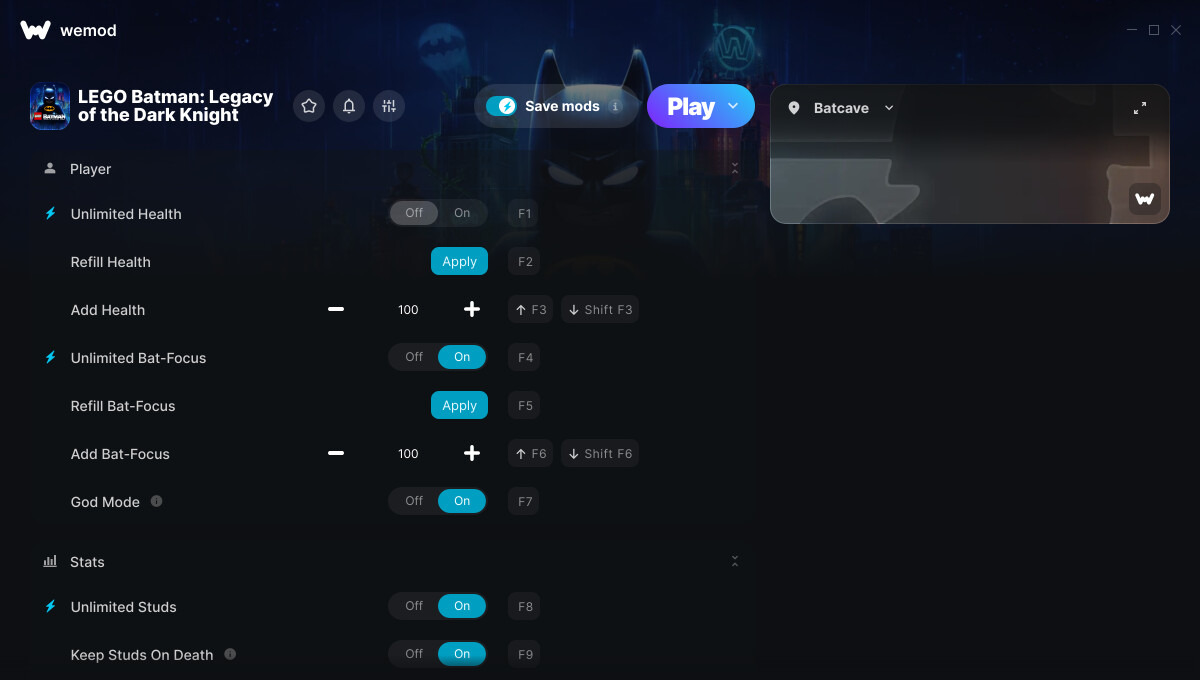
Screenshot:
Supported Game Versions:
We strive to keep our trainers up to date with the latest game versions. WeMod automatically detects which version you have installed and activates the mods accordingly. So there’s no need to worry about which version of the game you have!
Updates and Changes:
-
05/20/2026
Started development
-
05/21/2026
Released trainer with 34 cheats
-
05/22/2026
Bug fixes and game compatibility improvements
-
05/26/2026
Bug fixes and game compatibility improvements
-
06/04/2026
Bug fixes and game compatibility improvements
-
06/15/2026
Bug fixes and game compatibility improvements
Like what you see?
Check out all of the games WeMod supports here.
3 Likes
The LEGO Batman: Legacy of the Dark Knight cheats have been updated!
Changes:
- Released trainer with 34 cheats
2 Likes
Thanks!
The game crashed when I used the ‘Unlimited Chips’ cheat with the ‘Add Chips’ option.
I’ll try again to make sure if it’s an issue with the cheat.
2 Likes
thanks, I noticed that the grappling hook starts acting weird when enabling mods, it doesn’t fully pull characters, kinda like it lost power
2 Likes
Same here. Game froze when I had unlimited chips on. I also think I couldn’t sprint anymore after enabling Unlimited Health, unlimited focus and unlimited chips.
I may be an idiot, but I do not understand the description for ‘VAST LOCATION’ - “LOOSEN INTERACTION RANGE SO DISTANCE PICKUPS COUNT”
Having tested this option I am not sure what it does?
EDIT:
Also it seems that if you just have the trainer activated the grapple no longer works.
Can also cause random game crashes
Appreciate it big dawg but whenever I activate the mods my grappling hook won’t pull me for mad long. All I have on is unlimited focus then the game freezes and I have to restart my whole pc
the trainer does not work or notice the game is running if you use the hypervisor bypass release.
1 Like
grapple is bugged when mods are enabled
2 Likes
Wand doesn’t support pirated versions of the game.
Game crashes when you run it
Can I suggest you add freeze timer for the AR challenges?
5 Likes
The LEGO Batman: Legacy of the Dark Knight cheats have been updated!
Changes:
- Bug fixes and game compatibility improvements
I notice my game freezes after about 5 minutes of gameplay. The only mod I have on is Bat Focus. I closed Wemod and restarted the game. It works fine without it. I did notice the game had an update today when I booted it up on Steam.
1 Like
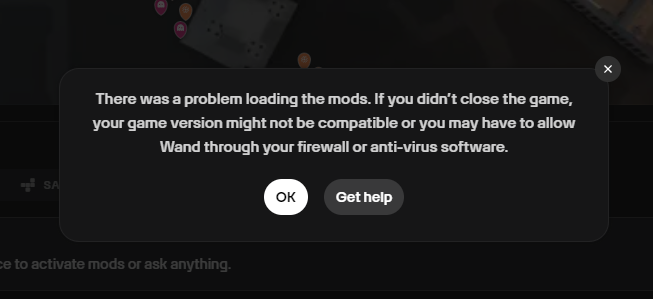
Keep getting this error with this game, mods work for all other games installed. I have the game through steam.
You’ll have to go into your Firewall settings and enable wemod. I will say there is an issue with the mods for this game. Simply hitting Play in Wand but not activating any mods will cause the game to still crash at some point. If you activate a mod, it crashes the game even sooner. The creator will have to fix. Hopefully soon.
1 Like
How do I go to my firewall and allow wemod to access it? I’m going to be honest I have no idea how to do that. Also, if you’re saying that you did that and it’s still having problems shortly after successfully activating We mod then the developers or the creators of the mods are going to have to fix it anyway and I would agree with you hopefully soon. And preferably this next time not having to go through the firewall. I guess that’s just another thing I’m going to have to learn about PC Gaming.
there seems to be an issue with the mod it will random crash the game
1 Like
Yes, I believe the issue with the mods for this game is also the reason the firewall issue exists as well. I have been using Wemod for some time now, and it’s never been an issue, nor is it an issue with any other game. I will notice once in a while that a pop-up window will appear and ask if I want to give Wemod permission, and I say yes. That’s usually what happens. I think the way these mods were done for this game is now allowing that process to happen.
That said, the Firewall steps are:
Go into your WIndows Settings> Privacy & Security> Firewall & Network Protection> Allow an App through Firewall.
From here, you’ll see all the things your Firewall has allowed to pass through publicly and or privately, and not at all. Everything is in ABC order. Scroll down until you see a series of wand.exe. Some of them might not be checked. You’ll want to check them. I had to click on Change Settings for them to allow me to check them. Once you’re done, click Okay.
With all that said, these mods are still crashing the game and or not working properly. I would wait until they’re fixed (patience) 
Anything for skill points?