Hey guys.
So Metro Exodus just recently got support for the Windows Store in the WeMod Application. I have been able to mod games like State of Decay 2 which I have obtained through Xbox game pass but are detected as Windows Store application within WeMod. Today I attempted to try out the newly supported Exodus mods through Wemod but the application is asking me for a custom install directory for the game. I have managed to locate the .exe game file but the application is telling me that I Iack authorization to edit the file. I am using the only admin account assigned to this pc. How do I go about fixing this issue and playing the game using WeMod?
Hey!
All Windows Store games are located in the WindowsApps folder which is purposely protected under the TrustedInstaller ownership to prevent potentially irreversible changes to the folder.
Here is a link to gain access to the folder: https://www.thewindowsclub.com/windows-8-metro-apps-folder-location. You will have to research where the Metro Exodus .exe is located once in the WindowsApps folder.
Hope this helps 
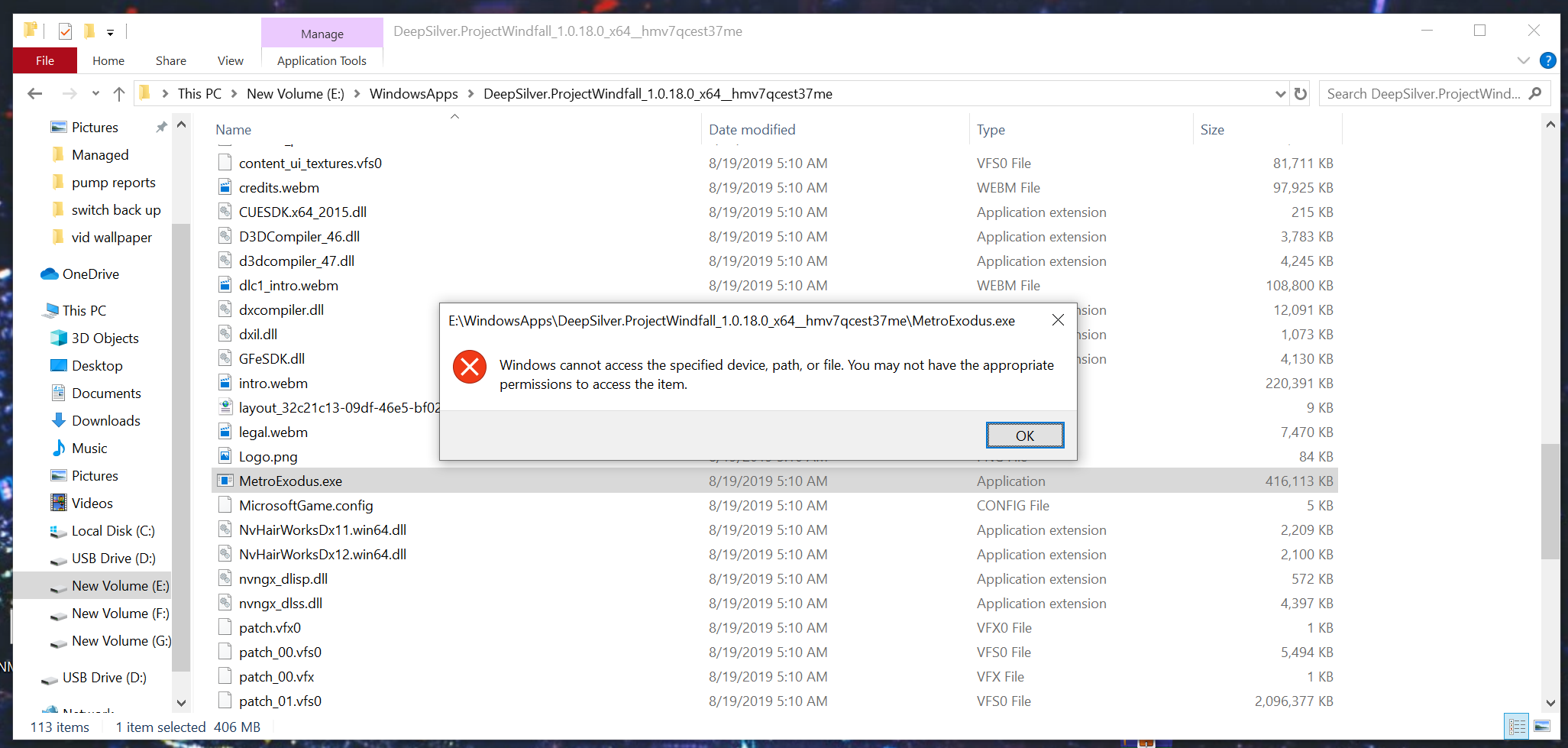
Have you tried dragging the .exe into the dotted box? Sometimes that seems to work better for secured files.

I tried dragging it in and it fixed issue where is said that it was missing. However, I can not launch the game. This is weird because I just got done playing Crackdown 3 and that is also an Xbox Game Pass title. Is there a way to maybe see what .exe file WeMod is using for my other game pass titles?
Try starting the game manually then alt-tab out then hit play in WeMod. Unfortunately, there is not easy way to see which .exe WeMod attaches to, but there is an algorithm in place that automatically finds and attaches WeMod to a game’s .exe.
No luck. it just says the same thing.
How do I go about making WeMod auto detect a .exe of a running game?
Usually, it finds it upon launch. Try removing the custom install then kill Wemod in task manager then relaunch. It should find it.
Should I have the game running when i reopen wemod?
It shouldn’t matter, but I always keep everything closed until I launch WeMod.
No Luck trying to get it to auto-detect. However, I did notice something interesting. WeMod shows Metro as not installed despite the Xbox Game Pass Version being the Windows Store version.

I had a similar issue with Gears 5 where it stayed in the ‘not installed’ list until I updated the game. Maybe there’s an update in the store for it?