Hey, WeMod doesn’t work on Epic Games this week.
Dosen’t work because not updated…
Does not work on Epic
We totally understand your concern. Can you please tell me more what issues you’re experiencing with the trainer/overlay?
Is there a reason why the trainer hasn’t been updated to the latest version of Epic while the Steam version got an update?
Hello,
First of all, I purchased the game through Epic.
I tried different launch options.
First, I launched the game and started a single-player session.
Then, when I clicked “PLAY” on WeMod, it tried to launch the game again via Epic Games,
but since the game was already running, Epic shows a warning,
and the message “WeMod couldn’t find the game” appears.
When I add the game’s .exe file and start it through WeMod, the game launches,
but again, the “WeMod couldn’t find the game” message appears,
and if you click “PLAY” again WeMod starts new game
Thanks for letting me know. We totally understand your concern, If you haven’t already, please try adding exclusions for these two folders in your antivirus:
C:\Users\%USERNAME%\AppData\Local\WeMod and C:\Users\%USERNAME%\AppData\Roaming\WeMod
I think I was misunderstood.
The WeMod cheats are not working for Civilization VI when played via Epic Games.
I tried different methods, just like we did with other games before,
and I tried to explain this to you.
We completely understand your concern, and we’re doing our best to provide troubleshooting steps to help resolve the issue.
Just to confirm — have you already tried excluding the necessary files or folders from your antivirus or security software?
I’ve got an issue with the trainer. When ever I use it, it stops time from moving forward on the next turn. 'm playing the Epic games version. I’v been stuck on 600bc for 6 turns.
just here to also add that the trainer doesnt work at all, it just crashes the whole wemod app
god mode apparently blocks units from leveling up!!! perhaps 2vs4byte or some such!!! units appear to level, but don’t hold or accumulate status… great otherwise, well done!!!
Hello,
I added the folders, but WeMod still doesn’t activate the mods.
It tries to relaunch a newly started game,
and when I add the game’s .exe file, it launches a different game.
However, as you can see in the screenshot below, WeMod is not working.
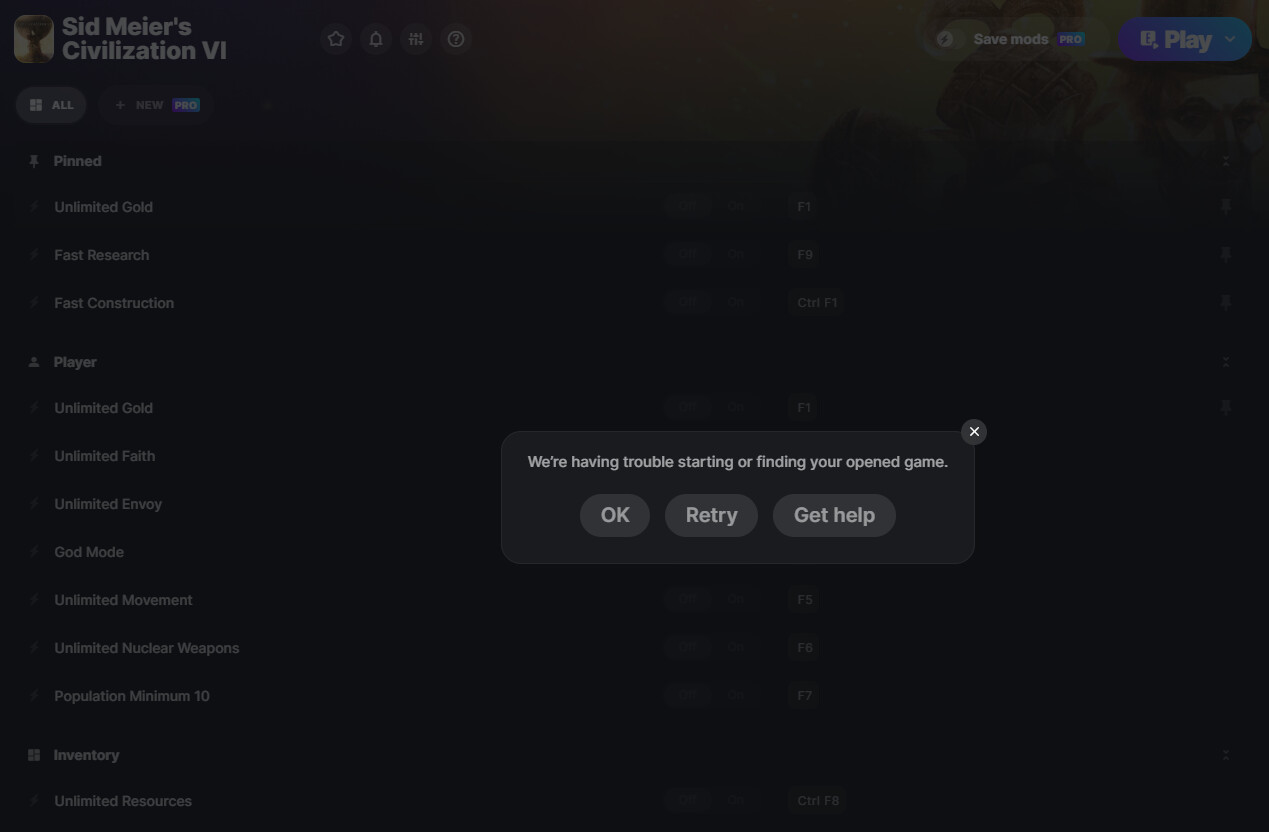
Just to make sure we’re on the same page — have you already tried the steps below to add the game manually in WeMod?
Click Add game.
Click Add game manually.
Select the correct platform where you purchased your game, then drag and drop the game’s executable (exe) onto the given location or click Add game exe and select it from the finder window.
For example:
C:\Program Files\Epic Games\[Game Name]
hi can i request change unlimited faith/gold/envoy to the amount faith player fill? maybe add 50-100-200-500-1000 faith? it better than unlimited…
1 Like
I am experiencing the same issue. Even though I added it manually (I also tried the dx12 version), I am still receiving the same error. Is there no definitive solution for this? I wanted to change the developer, but it cannot be changed.
We have reported the issue to the team, and they’ll have someone test it. We’ll get back to you as soon as we get updates.
1 Like
no one reply me? i bought pro monthly i think will be priority?
is this trainer going to be updated, i dont even see it on any of the upcoming update list
We totally understand your concern, and we appreciate your suggestion.
Please note that while you’re welcome to request additional mods, it’s not guaranteed they will be added. Our creators carefully consider each request based on factors like game structure, technical feasibility, and overall demand.
Thank you for understanding.