Mine is crashing on trying to start a new game everytime. Bummed.
The Sins of a Solar Empire II cheats have been updated!
Changes:
- Bug fixes and game compatibility improvements
2 Likes
Hey There!  - New update just released for Sins of Solar Empire II - Test it out and it seems like with the new updates, the Mod crashes the game when trying to start a new game, would there be any updates/fixes for this now that the new update is out? .
1 Like
The Sins of a Solar Empire II cheats have been updated!
Changes:
- Bug fixes and game compatibility improvements
3 Likes
Andvar cheat used to crash, now everything is working fine, thank you) Version 1.30.4.
Thankyou soo soo much!!!
Has anyone else had an issue where it can’t load the mods?

I’ve got a good internet connection, I’ve tried turning my antivirus off, and I’ve run it as admin and I keep getting this error. It seems to be specifically this game as others seem to work still.
1 Like
sins of a solar empire 2 crashed only with this mod ,All the settings are off for now but I can’t even get to the start of the game
Dont know what changed from last night to today but last night the mods worked 4.0 and now when you click play the game opens but the mods wont work???
Mods don’t work since last game update. Any plans to update the mod?
Could you let me know if you’re able to enable the mods, but they have no effect in the game?
When I open the game and click “Play” to load the mod it fails and has this message. “We’re having trouble finding your game”. I also tried launching the game from wemod and I still get the message.
Have you tried launching the game initially and waiting until you can freely navigate within the game world before opening the mods by clicking PLAY on the WeMod app? If that doesn’t work, try launching the game first, and once you are on the main menu, open the mods by clicking PLAY again.
1 Like
I tried both, when my game was past the loading screen and was running a “match” the wemod couldn’t load or start the mods. I tried putting the .exe location into wemod and it still has the same issue. So I tried reinstalling wemod and Sins2 and both didn’t work. So I tried running it on my laptop and wemod could run it on a different computer. This is strange, wemod can run other games on my desktop but not on Sin2?
This is noted. try to Verify integrity Files by right-clicking on the game and click Properties. Click on the Installed Files. Click on Verify Integrity of Game Files. Then force quit/close the WeMod App then re-launch the apps.
Nope didn’t work
I see. May I know what AV software are you currently using?
Just the standard windows anti-virus.
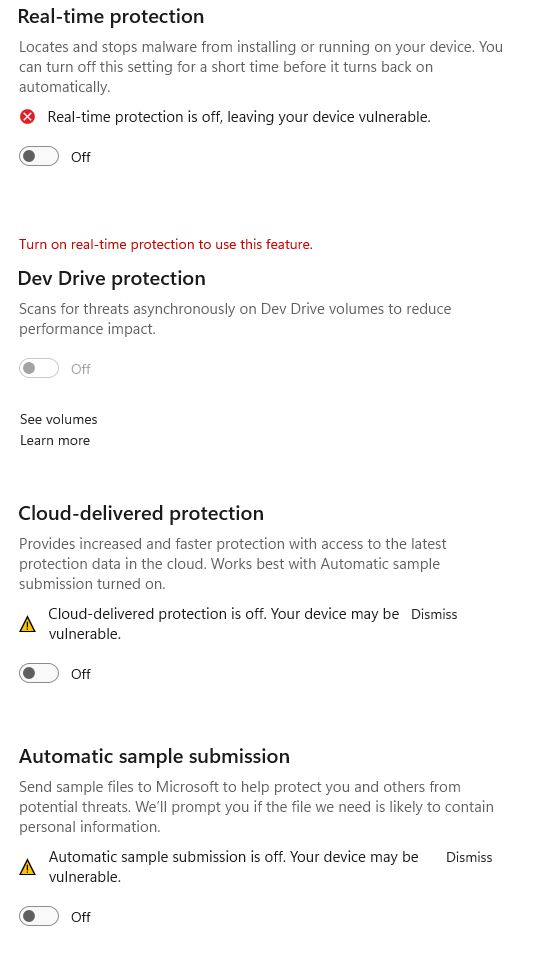
Gotcha. Can you disable your Windows security? then try to Verify integrity Files by right-clicking on the game and click Properties. Click on the Installed Files. Click on Verify Integrity of Game Files. Then force quit/close the WeMod App then re-launch the apps.