This is the official discussion topic of the Star Wars Outlaws Trainer and Cheats in the WeMod app. Please post any suggestions, bug reports, or praise that you may have for the cheats in here!
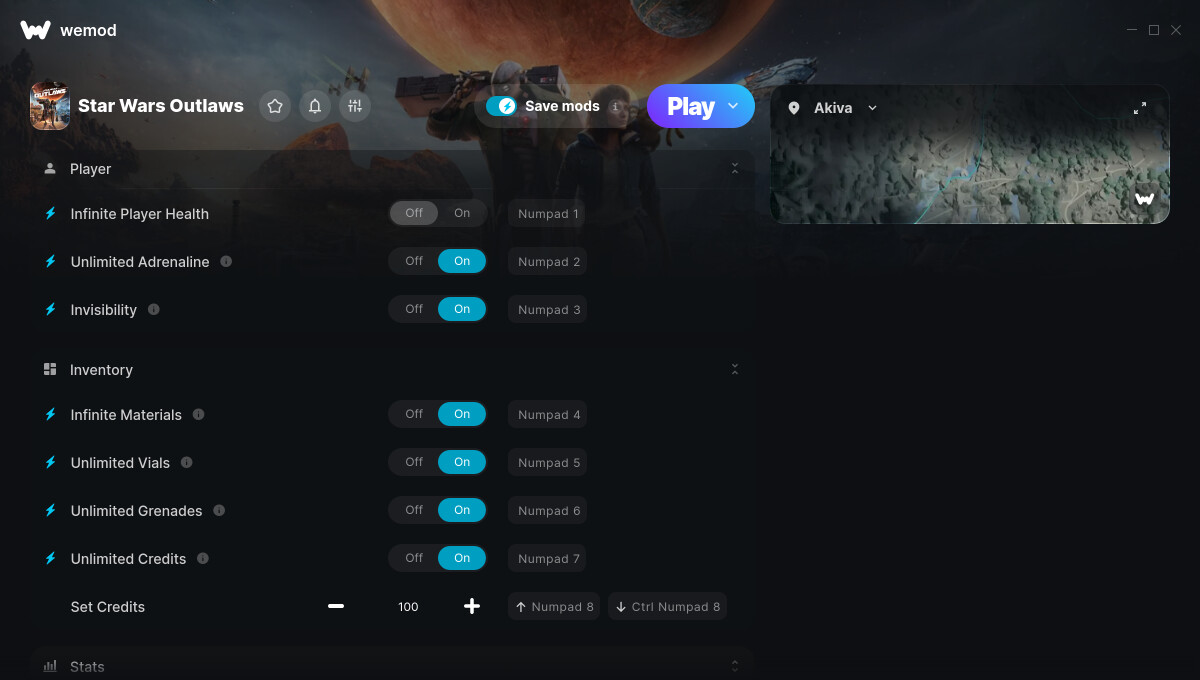
1. Infinite Player Health
2. Unlimited Adrenaline
3. Invisibility
4. Infinite Materials
5. Unlimited Vials
6. Unlimited Grenades
7. Unlimited Credits
8. Set Credits
9. Get Current Reputation
10. Set Pyke Syndicate Reputation
11. Set Crimson Dawn Reputation
12. Set Hutt Cartel Reputation
13. Set Ashiga Clan Reputation
14. Unlimited Ammo
15. No Gun Overheating
16. No Stun Module Cooldown
17. Infinite Player Speeder Health
18. Infinite Player Ship Health
19. Infinite Player Ship Shield
20. Instant Speeder Boost Recharge
21. Always Allow Speeder Movements
22. Set Speeder Extra Boost Duration
23. Unlimited Sabacc Coins
24. Easy Data Spike
25. Easy Slicing
26. Always Allow Everything
Screenshot:
Supported Game Versions:
We strive to keep our trainers up to date with the latest game versions. WeMod automatically detects which version you have installed and activates the mods accordingly. So there’s no need to worry about which version of the game you have!
Updates and Changes:
11/23/2024 Started development
11/25/2024 Released trainer with 26 cheats
05/19/2025 Bug fixes and game compatibility improvements
Hey there - just a general check in to see if there was anything to report in regards to the cheats working/not working?
I bought the game through Steam and have tried launching via steam, Ubisoft play, and directly from WeMod - but regardless of the method or timing, the game crashes almost immediately. I’m assuming this is some form of DRM?
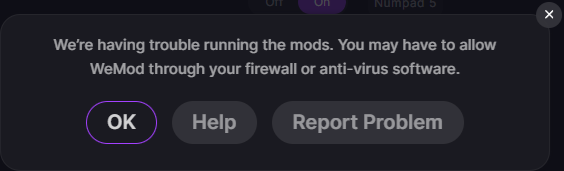
Interestingly it tells me I need to allow WeMod through my firewall or something similar, which I’ve never seen before nor had to do…
Update - somehow my game started up saying I wasn’t logged in to Ubisoft Connect and gave me the option to “Continue in offline mode”
I got to the logo screen (with the Press X to start prompt) and tried to start up the WeMod trainer, and it worked getting through to the Playing status.
I imagine this is just a case of cannot be used in online mode?
The workaround I have found best is to load into my save game, go into one of the menus (like the map or something) and then connect, click the “Get Current Reputation” just so I can see it on the sliders, and all seems stable.
Also should note that all the selections work, even the “Always Allow Everything” option without much hassle, though I didn’t risk it that often.
I didn’t notice until just now (after finishing the main story) that the latest update had a “Key Location Teleport” option oh well hahaha
My Steam Trainer for Star Wars Outlaws says he need to be testet.?? There was a little update these days. Or its because i got the DLC with Lando, I dont know.
Hey there, I want to start by saying I love what you guys are doing. I have just recently started playing Star Wars Outlaws and I was messing around with the nifty feature on the map that lets to you fast travel to boxes when you cant find them. Well I ran into an issue where if you open the Jet Kordo stash boxes before your at that point in the mission, say for my example on Toshara. You can no longer open the box for the quest and can no longer progress the quest line. Is there anyway to fix this?
How does the “set reputation” buttons work? I just tested them out, and gave myself a good reputation with the Pykes, but I still can’t enter their territory without sneaking and the game claims I have a “poor” reputation with them.
Not sure if it’s just me or something i’ve done but i increased my rep for pykes, crimson and huttts to excellent near the start of the game.
It worked, i could enter territory and use the vendors but, it skipped over the rewards.
I’ve tried resetting to just before a tier up up, also resetting to 500, and progressing through jobs but they aren’t getting the rewards as i pass the tier.
The Ashiga weren’t available at the time so i hadn’t messed with theirs.
Theirs is working normally.
Are you able to add a way to reset rep completely?
Just from the story and a few jobs it’s fairly easy to increase naturally
I had this same thing happen… was weird because I got the rewards for Crimson Dawn and Hutt syndicates but Ashiga and Pyke did not unlock and I have tried resetting the rep and everything but unfortunately doesnt seem to be a way to fix it
The values change the visual bar, but the in-game Reputation will remain whatever it was regardless. So you can max out the Pyke rep, but if your actual rep was “Bad”, it will still be Bad despite the bar being topped out.
Many times, simply completing a mission which raises that rep for that syndicate will bump it up to where you put the bar and the in-game Rep will change… but sometimes it simply will not do that at all
The only real benefit I’ve found is changing the rep via the trainer will grant you access into territories where you would otherwise be immediately shot at. So, yes your actual rep with the Pykes is bad, but increasing the bar into the Good+ range, they won’t regard you as a trespasser right off the bat
this also isn’t entirely fool-proof… sometimes you still get flagged, but I think most of those instances are due to a “special” area trigger (a small territory zone that’s flagged for a major mission for example), and scripted events
Use Invisible, it works WAY better if the only reason you’re going somewhere you’re not in favor visiting is petty theft or intel infiltration… you won’t be able to talk to any quest givers or anything, but if that’s not why you’re there then it doesn’t matter
I have been able to trick syndicates into giving me all the rewards despite originally having poor favor with them… max the bar, then go and work some missions for them and get your rep into the Good+ - you aren’t guaranteed to get all of the rewards upon your in-game rep actually changing, but there’s a chance you’ll get one or two, and who knows, you may get lucky and upon reaching “Good” the game gives you everything lol I find if it fails once, reset the reps back to the approximate values they began with, save and quit and then load and try again
Thanks ImagineWagons.
I changed the Hutts at the start as well and just today received gear for maxing it and Ashiga as well.
I guess next i’ll just work on the other 2 to see if i can max them out.
Anyone having issues when running this trainer then after a little while it either crashed Wemod or mods stop working, Wemod hangs and it has to be force closed, there is no specific mod that I can tell causing this, I am using the Steam version of this game…
Never had anything like this happen previously on any other game, just this one for a strange reason…
I’ve had a couple of issues.
A couple of times when i go to a vendor and select buy, the background loads but the store doesn’t. I have to end task.
It’s also hung between 2 cutscenes after I killed the Rancor. I ended then reloaded the game and it went fine.
I believe these are game issues, not because of wemod.
Yesterday I updated Windows and since then running the game from wemod doesn’t work. It loads the mods but when it tries to run the game it stops and gives me an error.

 oh well hahaha