[size=25]
How to Activate DMZ Mode on Your Router
[size=20]
What is DMZ Mode?
[size=20]
How Do I Activate It in My Router?
To Activate DMZ Mode, first you must go to your router’s homepage, you can do this by going to 192.168.1.1 in your browser.
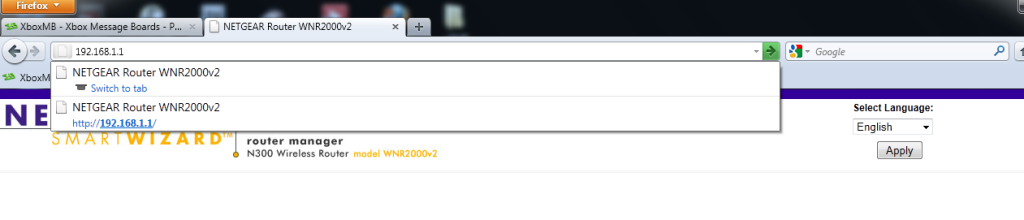
Then, your going to want to find the tab that hold’s your DMZ settings, mine is under WAN Setup, I’m on a Netgear WNR2000v2 Router.
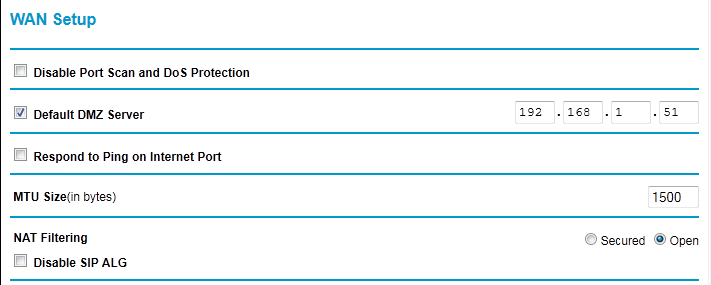
Now, as you can see in my picture, it has one set IP address that access’s in DMZ Mode, once that is set, you go onto your xbox and go to system settings>connection settings>configure>manual>Ip Address - 192.168.1.xxx>then finish the other settings like normal.
DMZ For Linksys -
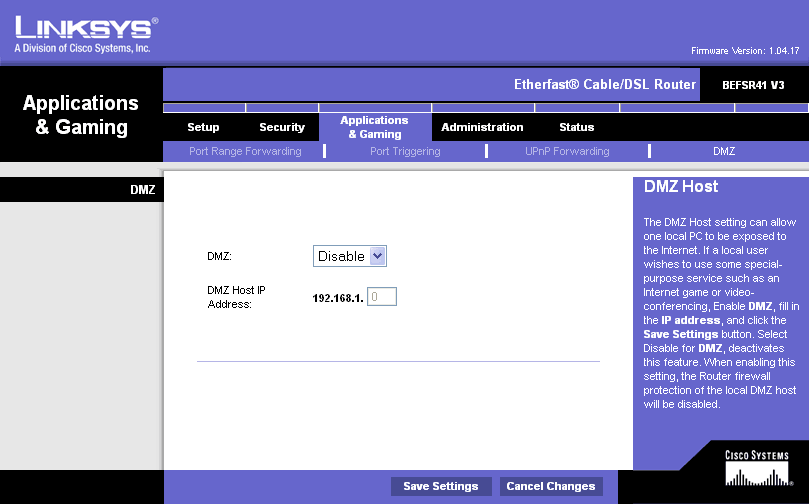
Will add more pics for other brands if needed later.
[size=20]
Are There Other Ways Alongside This To Help My Connection?
Disabling SIP ALG
Yes, there are a few more ways to tweak your connection, one being disabling the SIP ALG filter on your router.
Disabling the SIP ALG means your disabling the “Stateful Packet Inspection” Security, so don’t piss off teh haxorzzz, because this raises your chances of being vulnerable to a DDoS.
But, disabling the SIP ALG also helps your connection to other over XBL or PSN.
Enabling Port Forwarding
Even in DMZ mode, your router may not be able to connect to everyone, so enable port forwarding on the following ports -
Both - 53
Both - 80
Both - 88
Both - 1863
Both - 3074
Now, if your router doesn’t have the both option, then google exactly which protocol to forward it to.
Enabling uPnP
uPnP is for the times when Port Forwarding just isn’t cutting it, uPnP stands for universal plug and play, this means that the router makes exceptions based on what is need at the moment that the program is asking for it. I find port forwarding to be a much better alternative from uPnP, simply because the router knows what to do before it is requested.
[size=20]
Wrappin’ Things Up
I think that is pretty much everything there is to having an OPEN NAT setting.
<3Energized:D


