Hey guys, here is a pretty noob friendly tutorial to mod The Walking Dead: Survival Instinct along with a script, to extract and rebuild the .POD archive.
First you are gonna need Quick BMS: https://dl.dropbox.com/u/38234344/Quick_BMS_GUI_Installer_V2.0beta.exe
Now you need the script file: POD 5 Files.BMS
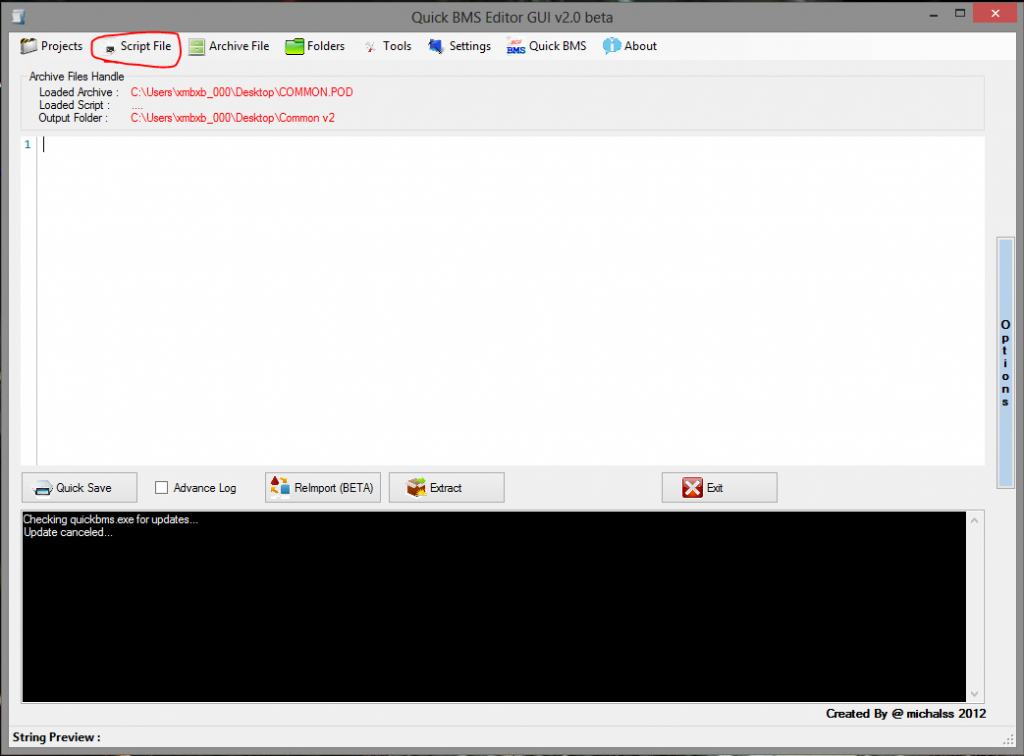
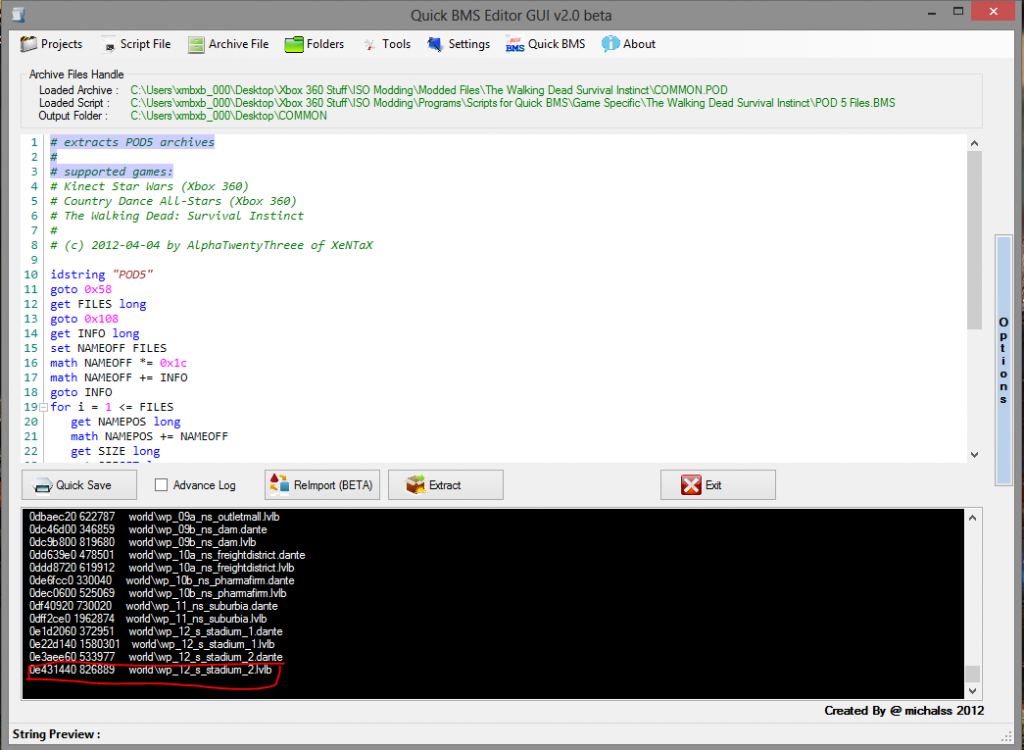
Now, once Quick BMS is installed, open it. Now click on Script File and click Open.
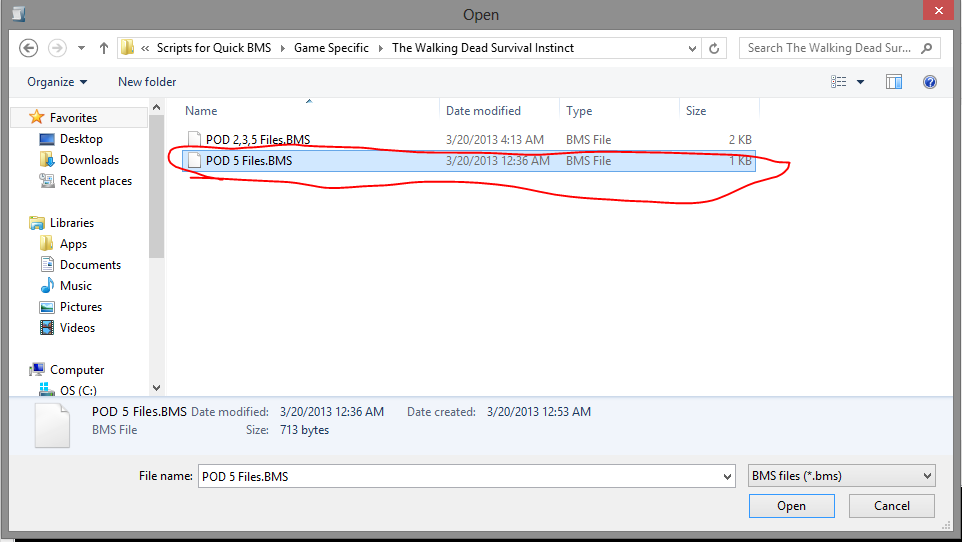
Open the script file that I have provided above.
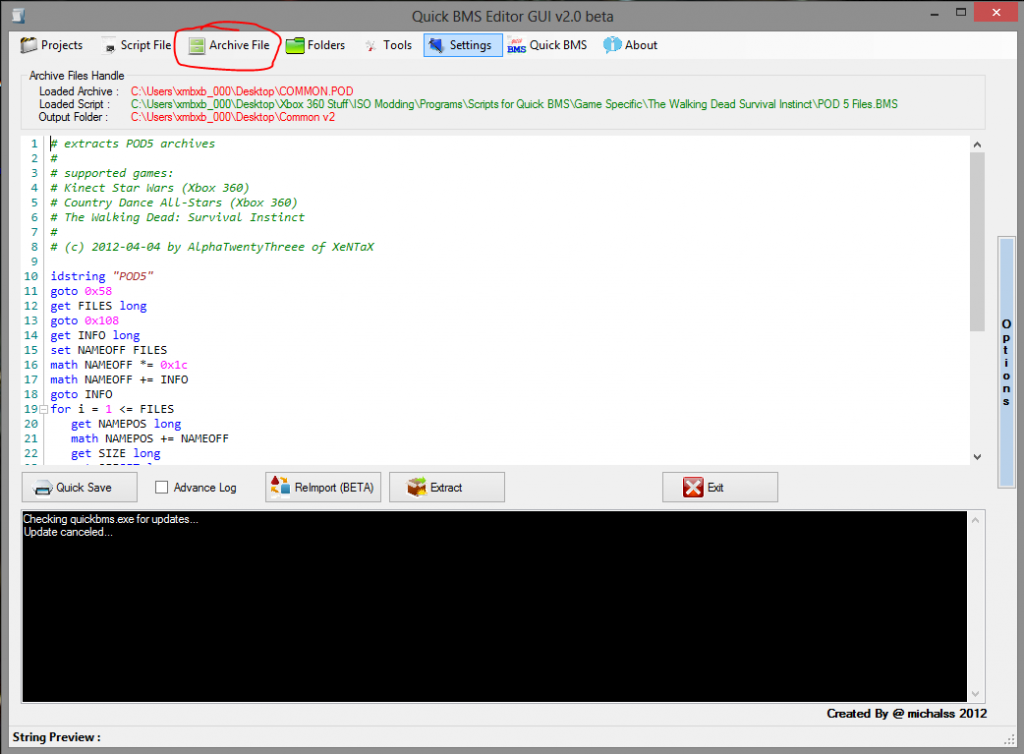
Now click Archive File and click Open Archive from the dropdown.
Select the COMMON.POD provided by BxRKings, myself, or your own and click Open.

Now click Folders and choose Select Output Folder. Click make new folder and name it COMMON.

Once you’ve done that, click Extract.

You will know it’s done extracting when it reaches 0e431440 826889 world\wp_12_s_stadium_2.lvlb.
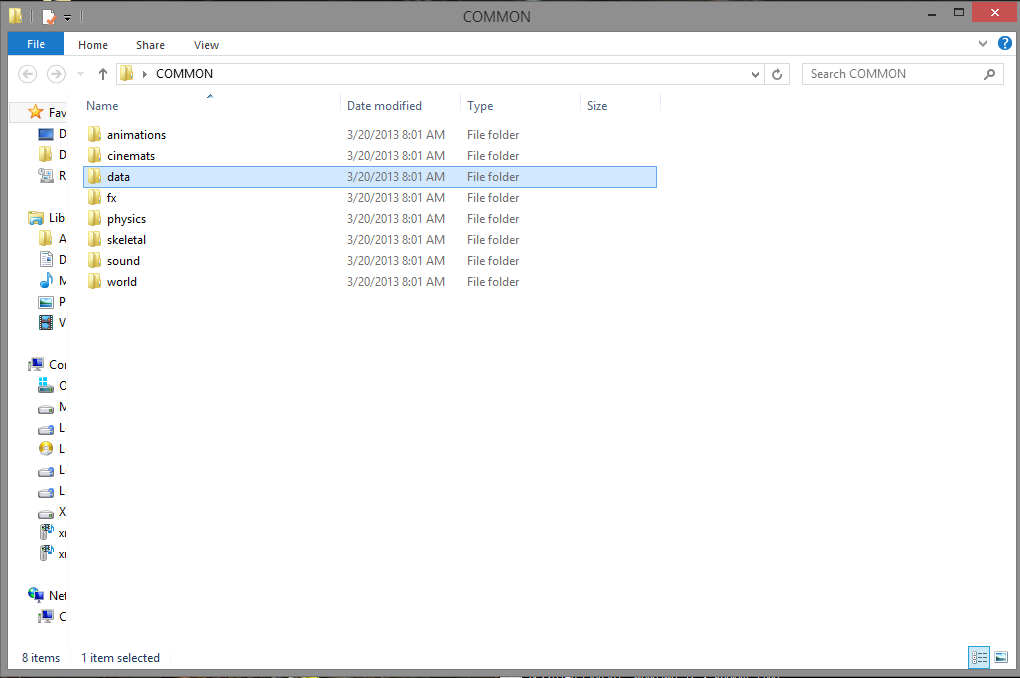
From here, open the COMMON folder and then open the data folder.
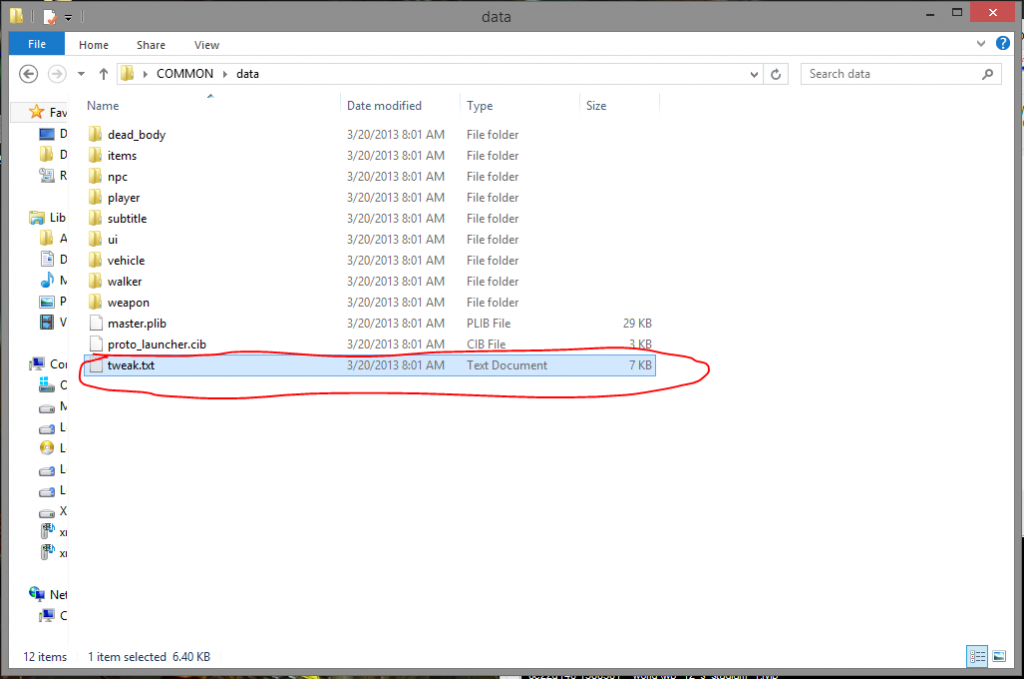
Now the file you wanna mod is tweak.txt. Make sure that when you have finished modding it, that it is still 7kb in size.
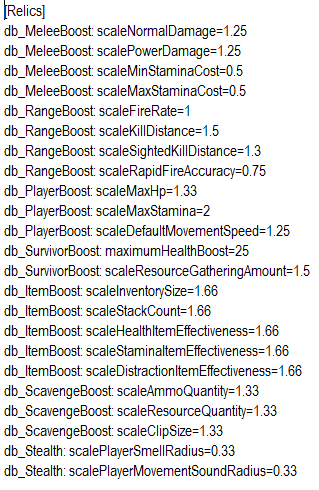
Go ahead and edit the values under Relics and PlayerControl to your liking.
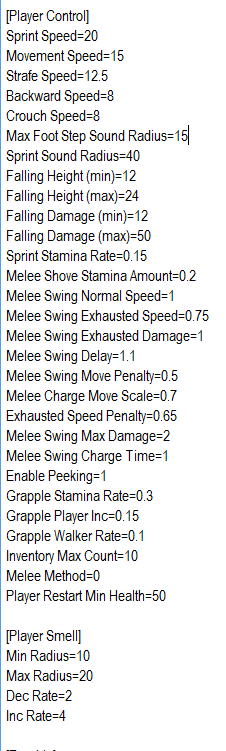
Once you’ve finished editing the tweak.txt and saved it, go ahead and click ReImport in Quick BMS.
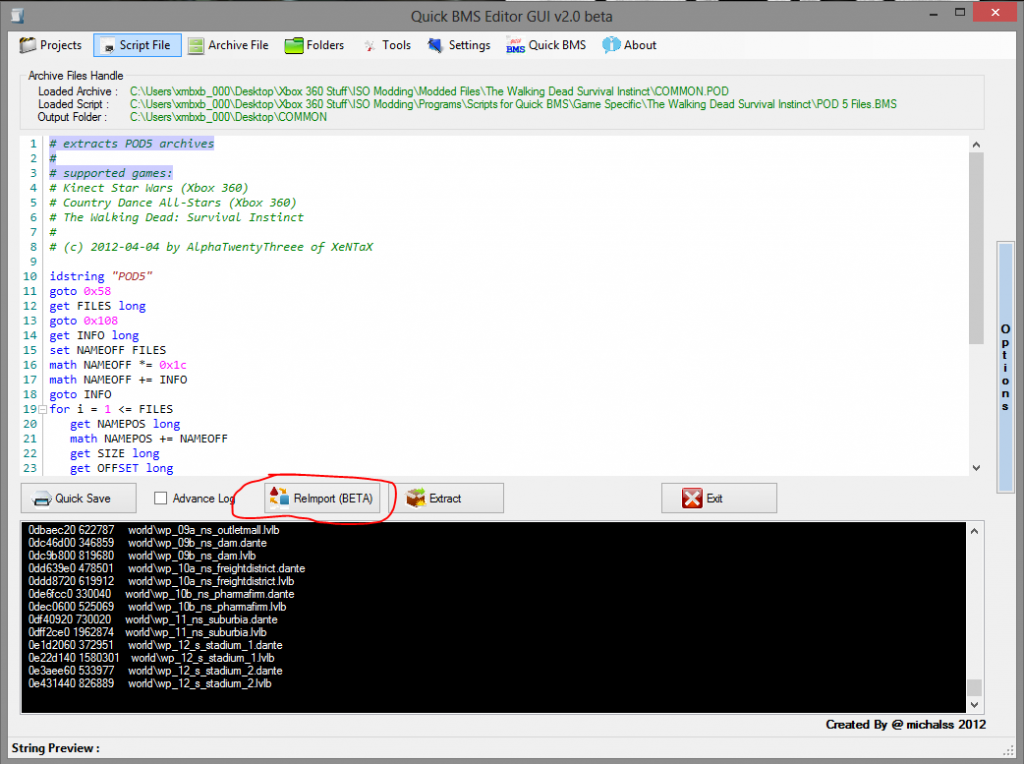
Again, you will know it’s done when it reaches 0e431440 826889 world\wp_12_s_stadium_2.lvlb.
Congratulations! You have successfully modded the COMMON.POD, so go ahead and replace the one in your ISO with XboxBackupCreator or wx360!
For those of you who want a pre-modded COMMON.POD, here is my modified version of this: https://mega.co.nz/#!iFgUFCTJ!PqH5rFPX5POpC0MY8BlqQ2EMLZY_zmhGixPJz8K8X9E
and here is BxRKing’s from XPGamesaves
BxRKing’s: The Walking Dead Survival Instinct ISO/RGH/Dev Mods Team XPG - Xbox 360 ISO Modding - XPG Gaming Community
and
Credit for the original script goes to AlphaTwentyThree of XeNTaX. Credit to me for updating it for The Walking Dead: Survival Instinct.
I am the original writer of this tutorial.

 Is so obvious that Activision don’t have experience with survival games.
