Hi, It’s currently in the testing queue. After it’s been tested, it’ll be considered for the creator queue if it requires an update. For now, you may want to use the Notify Me button once you clicked Learn Moreif you would like to be informed when updates are made.
4 Likes
As of todays update “No expedition Incidents” is no longer working.
1 Like
The trainer is no longer compatible with the current version of the game. Comes up with the error message when pressing play.
1 Like
It’s compatible, everything beside No Expedition Incidents works, you just have to click “yes” when it asks if you want to still try them.
1 Like
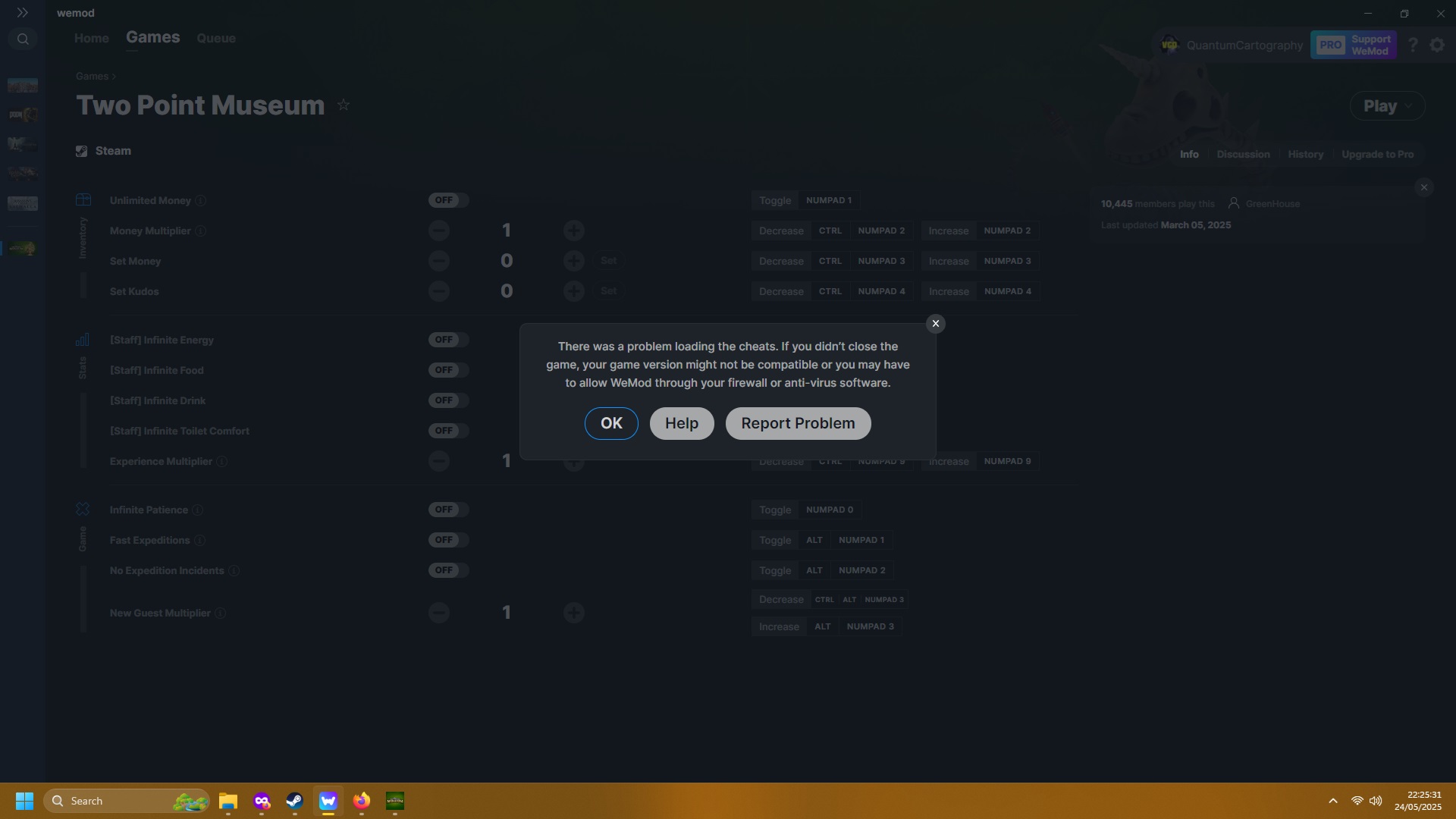
@QuantumCartography You are using an extremely old version of wemod.
2 Likes
I have no idea why it stopped updating by itself like it always used to. Had to reinstall it but it is now on version 10-something instead of 7-something. I feel like a right numpty but thank you.
2 Likes
No Expedition Incidents is still not working as of the hotfix.
1 Like
Two Point Museum pushed out a pre-dlc update that appears to have broken “No Expedition Incidents”
1 Like
The Two Point Museum cheats have been updated!
Changes:
- Bug fixes and game compatibility improvements
3 Likes
I was thrilled to see that the mod has finally been updated (thank you!), but it keeps crashing my game. When I run the game on its own (not through WeMod), it’s fine, but running it with WeMod, it keeps randomly crashing. Could someone please look into this?
5 Likes
Having the same issue - I’ve tried launching through WeMod, and through steam and starting the mods after, and both led to crashes
4 Likes
I have the same problem as above. All runs smooth if I run it without wemod, but as soon as I start it with wemod active it keeps crashing.
6 Likes
I’m experiencing the same issue. When using WeMod, the game crashes randomly. Also, after saving and trying to quit the game, it sometimes gets stuck in an infinite loading screen and doesn’t exit properly.
3 Likes
The game crashed randomly and on exit it is also crashing. tried both launching the game from wemod and launching the game and after that activating wemod - same results of crushing.
1 Like
Hi! We totally understand your concern. Can you try to disable the overlay by clicking the slider off at the top right corner of the trainer, restart both game and WeMod App, then check if issue persists?
1 Like
I’ll try this now, but I’m finding it’s crashing after a few hours in game and then once it crashes it keeps crashing. Reloading wemod helped it not crash instantly for me, But it is slowing the game down. I’ve only got 3 things activated. infin patience, fast expeditions and no expedition events. I still got crash on exit. I’ll try without the overlay and get back to you. Does it need any updating with the release of the DLC?
1 Like
Turned off the overlay, restarted both steam and wemod, still craches after few seconds in the game
1 Like
Are you using other modding tool alongside wemod app?
1 Like
no
1 Like