Here is a quick tutorial of how to properly extract your save so you can mod it.
[i][/i]TOOLS REQUIRED:[b][/b]
tw2resigner
Horizon
Offzip & Packzip
HEX Editor
- Open your save in Horizon (MODIO WILL NOT WORK!!!).
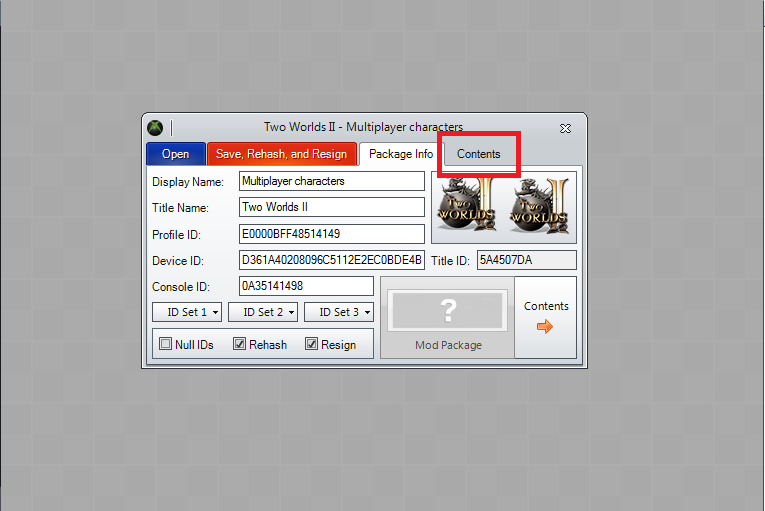
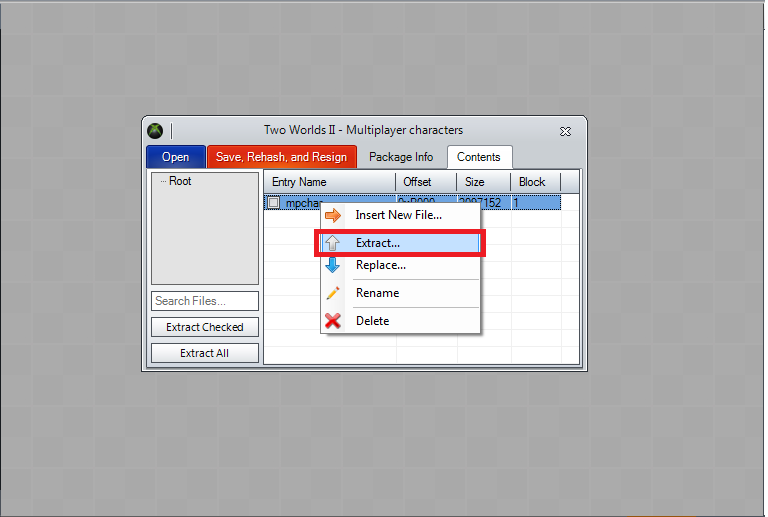
- Click the “Content” tab, right click the “mpchar” and select Extract.
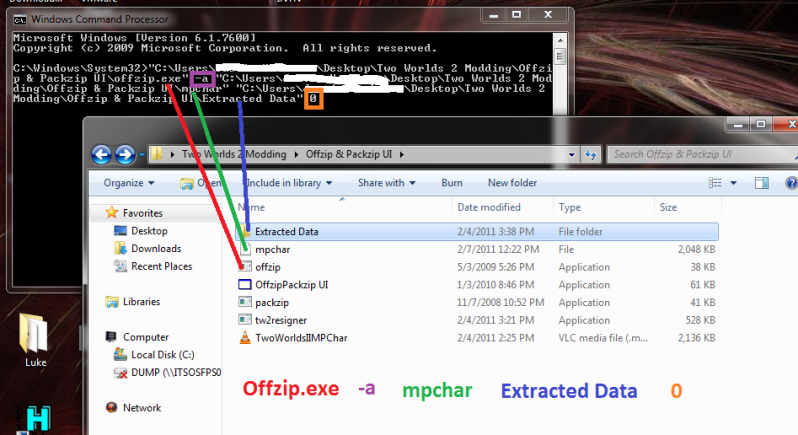
- Open your Command Prompt (start>Run>cmd) and drag and drop your files in the order shown (If you aren’t running Win7, you’ll have to manually input the locations of the files).
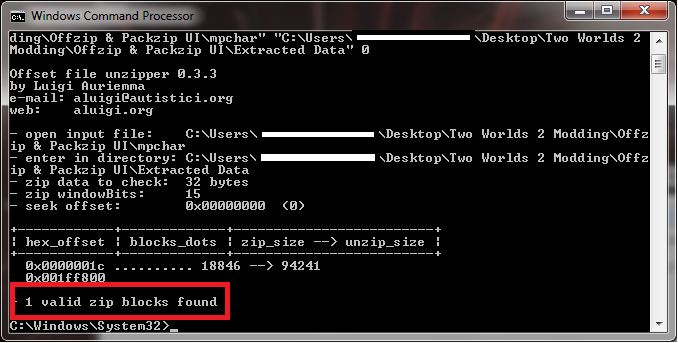
- Offzip should find ONE file (0000001c.dat).
- Copy the 0000001c.dat file to where your mpchar file is. Now open it in your HEX Editor.
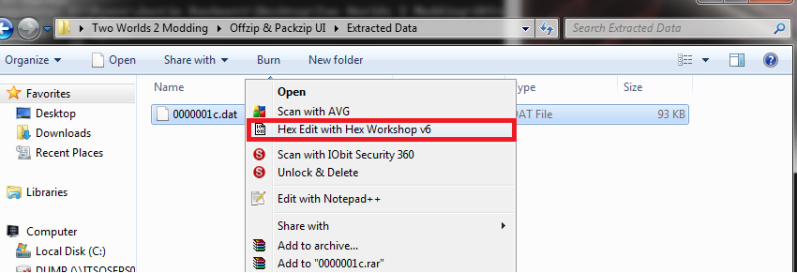
- It should look like this.
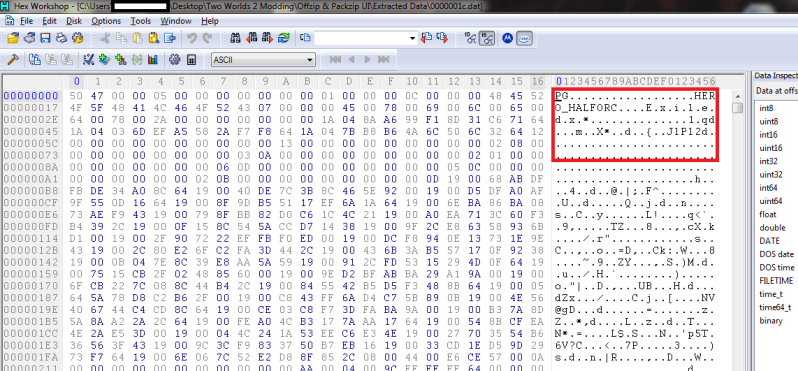
- After modding what you want drag and drop the files in order as I have them.
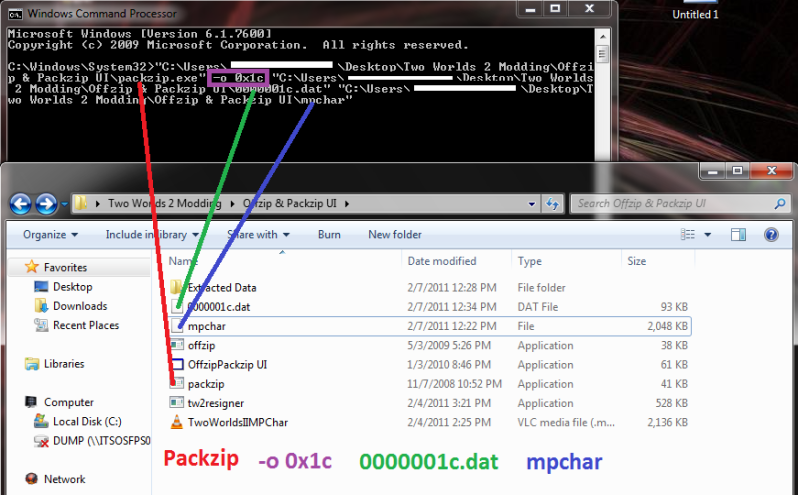
- Should pack the 0000001c.dat like this.
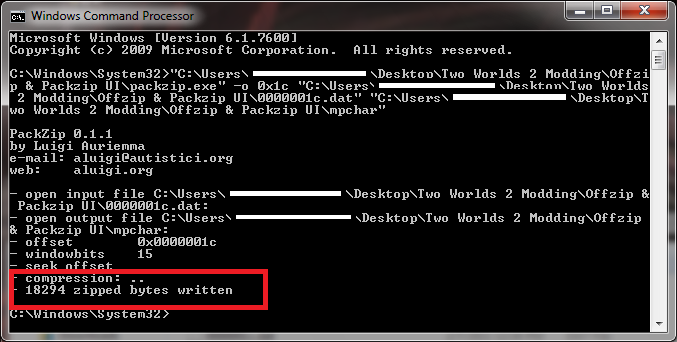
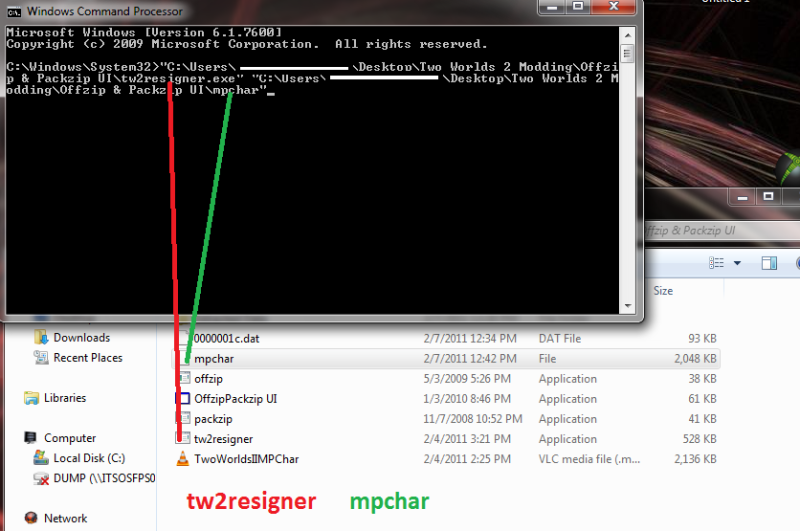
- Now drag and drop the tw2resign and your mpchar like this.
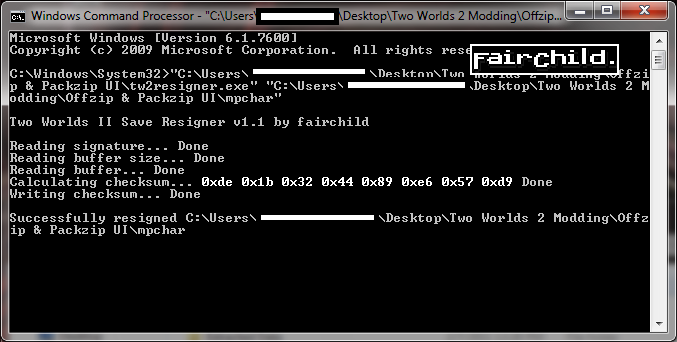
- Should get something like this.
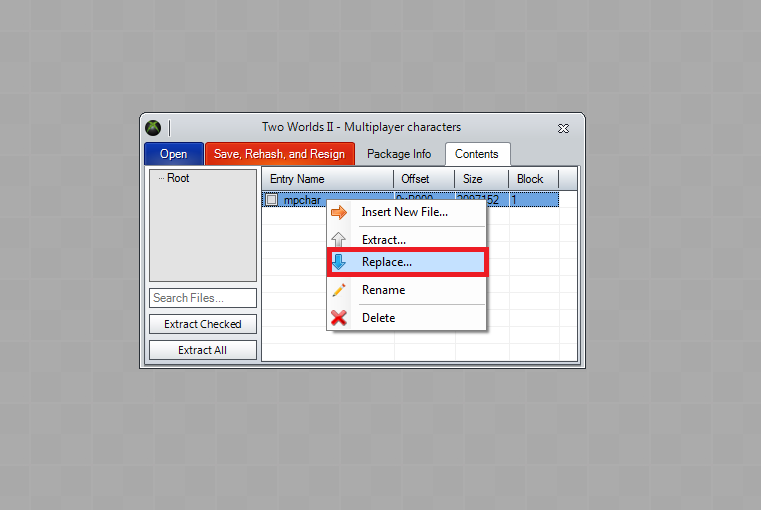
- Replace your old mpchar with your newly modded one.
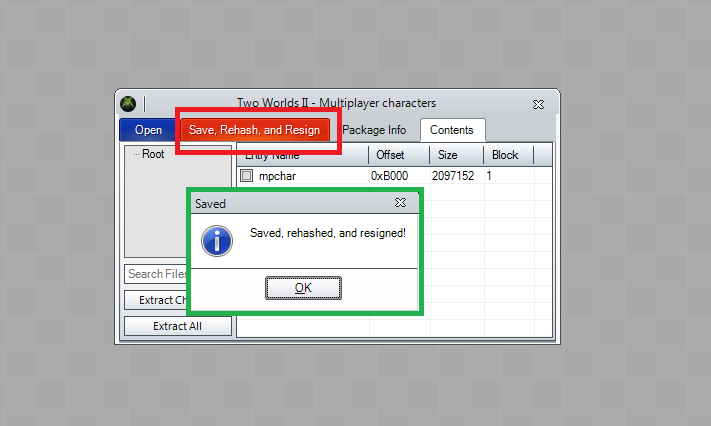
- Now press the “Save, Rehash, and Resign” button.
Hope this helps people.

