I’m a bit confused, flings standalone is the same as the one in WeMod. He was the one who decided to use DX11.
Fling stand-alone does not use DirectX11 by default, nor is suggested, trainer works perfectly fine on DirectX12.
As I said you can change it to DX12 for WeMod also you just need to manually set the launch parameter. -dx12 -BattlEyeLauncher
So can the users having problems with DX12, WeMod should not set DirectX mode by default, which is the issue at hand.
Is outside the scope of WeMod to mess with Graphics Settings that may affect system stability.
What do you mean? WeMod will default to DX11 unless you set the parameters. I do not really understand your argument as you must do more with fling’s trainer than WeMod’s.
WeMod will default to DX11
Is the issue, WeMod should not set Graphics Settings that affect the stability by default, if any players are having issues with DirectX12, is their responsability to change to DirectX11, not WeMod to force DirectX11 on everyone by default.
Same way right now I’m the one having issues when trying to use WeMod, cause it forces DirectX11 by default for no reason, so yes, I’ll be using the stand-alone version of the trainer.
I’m not understanding your complaint. You had to set launch arguments for flings trainer and change a file. Isn’t it easier to just add -dx12 to the launch arguments?
1 Like
You still don’t understand what the issue is here, WeMod is a Cheat Tool, it should not touch Graphics Settings by default, especially when it affects system stability.
As for Fling Stand-Alone trainer, there is no need to copy any files, you only need to disable BE through uPlay.
As it stands, you need to do the same procedure on WeMod cause it’s forcing DX11 by default (when it shouldn’t), so WeMod is not either easier nor harder to use than the Stand-Alone trainer.
All I’m asking is for WeMod to remove the DX11 argument, cause is outside the scope of what WeMod offers, which affects the system stability and overall game performance.
If I have to manually change it to DX12, it defeats the purpose of using WeMod, since I’ll have to disable BE manually too.
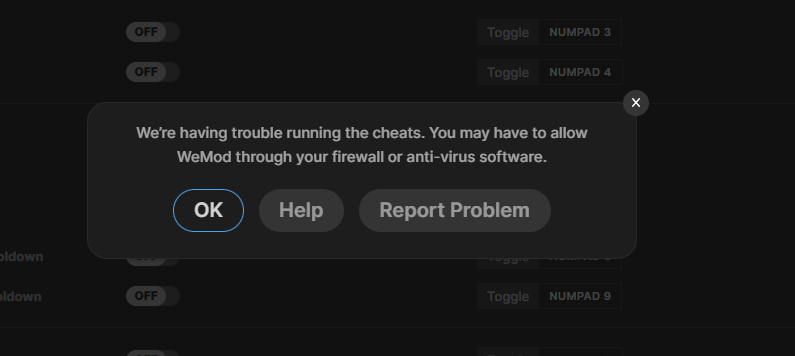
I try to play the game with the trainer but it is stuck on loading. Once I hit play on the WeMod panel the game will load as slow and normal as it does but the cheats never fully load in. I even added the launch string.
If you’ve added the launch parameters, launch the game through Uplay directly then alt-tab and click play in WeMod once it has fully loaded.
I have tried that and even then it is unable to connect to the game.
Can you take a screenshot of the launch parameters you entered?

Hmm, the only thing I can think of would be an antivirus maybe. There is no reason it should take more than 30 seconds.
Here is my log.
WeMod-1652814318323.log (154.6 KB)
Updated Log… It took a good hour or so.
WeMod-1652818434137.log (166.0 KB)
It keeps crashing as soon as I load in a game. Main menu works fine but as soon as I move my character it freezes and crashes.
Once I disable battleye, then as long as I use these cheats in single player, I wont get banned, right?
Is there anyway for me to use these cheats while playing the Legion of the Dead mode? I’ve tried both launching the game through WeMod and using the launch argument but every time I load into Legion of the Dead I see my character for a second and am booted back to the main menu with the error Boring-Yam.
Is there a way for me to play LOTD with cheats or am I out of luck?