How to hack a 250GB SATA Drive to work on the Xbox 360
Getting Started
Drives that work:
• WD Scorpio Series BEVS/BEAS
• WD Scorpio Blue Series BEVS/BEVT/BPVT
• WD Scorpio Black Series BEKT/BJKT
• WD VelociRaptor Series
• WD AV-25 Series BUDT
- HDDHackr V1.3 or higher works with all versions of the Western Digital Scorpio Series.
I Recommend the Western Digital Scorpio Blue:
Western Digital WD2500BPVT Scorpio Blue Mobile Hard Drive - 250GB, 2.5, SATA 3G, 5400 RPM, 8MB at TigerDirect.com
Moving On
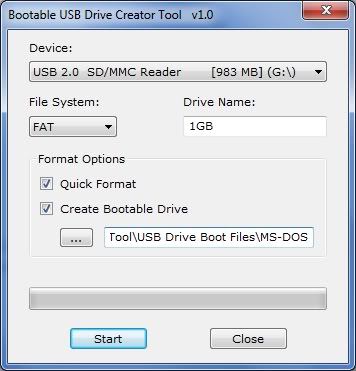
First we will need to make a bootable USB Drive.
Download - http://digiex.net/attachments/guides-reviews/console-guides/xbox-360-guides/3435d1260231736-xbox-360-how-hack-250gb-sata-drive-work-xbox-360-xbox-360-slim-bootable_usb_drive_creator_tool.rar
Unzip the RAR and Run the exe as
• Select the USB drive you want to use.
• Set the file system as FAT
• Check quick format and Create bootable drive
• Click the Browse More button “3 Dots” and choose the USB Drive Boot Files\MS-DOS folder as the location
• Hit START and wait until it has finished
Open Me
Security Sectors and HDDHackr
Use the correct Sector for the size Drive you are using
Moving On[2]
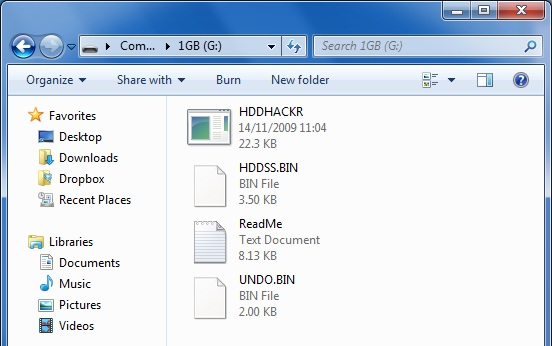
• Unzip HDDHackr and the Security Sector to the root of the USB you just made Bootable.
• Rename the HDDSS_250GB.BIN to HDDSS.BIN
You should have something similar to this
[Note] - You won’t have UNDO.BIN “Yet”
Open Me
Moving On[3]
You will now need to SHUT DOWN your computer.
• Unplug all HDD Drives you have plugged into your computer
• Plug in the HDD you want to hack
• Plug in the Bootable USB with HDDHackr if it isn’t already
Open Me

You are now going to Turn your computer back ON
Boot to your BIOS and be sure to have SATA operation mode to ATA
OR Disable AHCI "Depend’s on the options you have.
May also be called Legacy or Enhanced “If so, set to Legacy”
Without Doing so, you might have not be able to hack your HDD
• Now have your computer boot from the USB “Make sure only the bootable USB is in”
You Should now be at a DOSPrompt.
• Type “HDDHackr” without the quotes and Press ENTER
Open Me

If done correctly, you should now be listed with available drives to “hack”
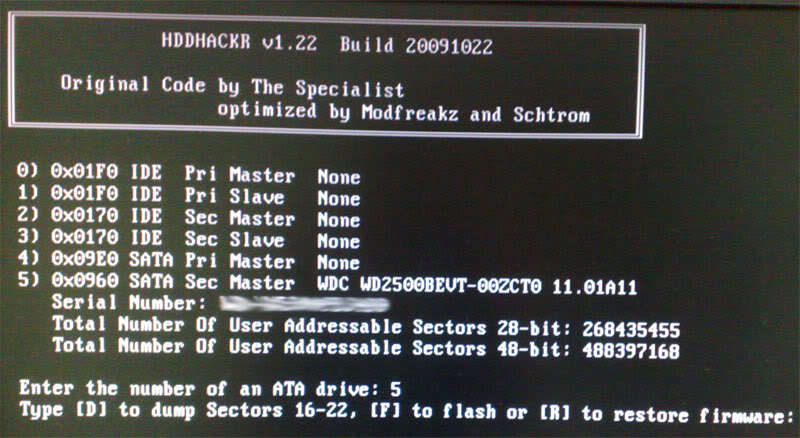
Enter the number of the drive you want to flash.
You will now be asked if you want to Dump, Flash, or Restore. Press F to Flash.
Type in the name of the security sector you want to flash, this will be HDDSS.BIN if you have followed this tutorial.
You will now get a message stating that the information in the file HDDSS.BINDoes NOT match the drives FW. Do you want to Flash the Xbox 360 Compatible FW.
Select YES for this.

You will now be asked if you want to create partition 0/2/3
Say YES to this also. Your drive should now be hacked.
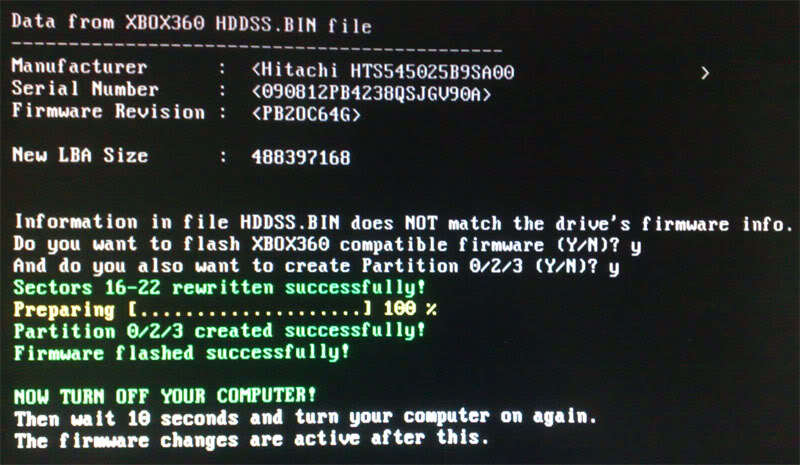
UNDO.BIN will now be inside the USB you used for this process. KEEP IT in the case you want to restore your HDD back to normal.
Replacing the HDD in the Xbox Drive
This is a tutorial to put your 250GB “or lower” hacked drive in your Xbox 360
Opening the Xbox 360 Drive Case:
• You will need a Torx T6 Screwdriver to do this
Now to take apart the HDD case, remove the 4 screws on the bottom of the drive
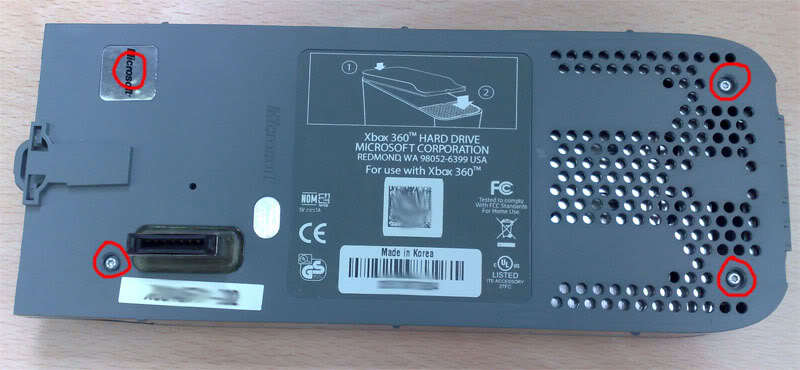
But wait, your not there yet. We have another 4 screws to remove.

Now unplug the SATA drive and gently slide the drive out of place.
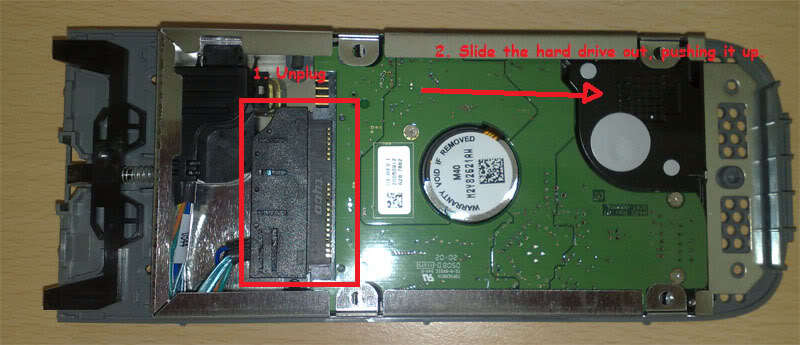
You should now have the original drive out, and are now ready to place your hacked 250GB “Or lower” into the case.
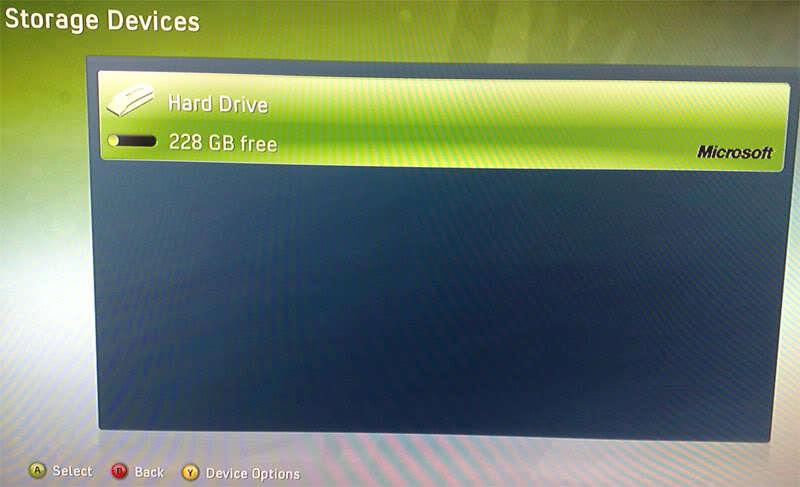
Rebuild the drive the same way you took it apart, and once placed back onto your xbox you should have something similar to this.
Connecting to a SLIM
Your Hacked HDD can also work inside the Xbox 360 SLIM “without dealing with the HDD Case”
• First open the HDD enclosure on the SLIM
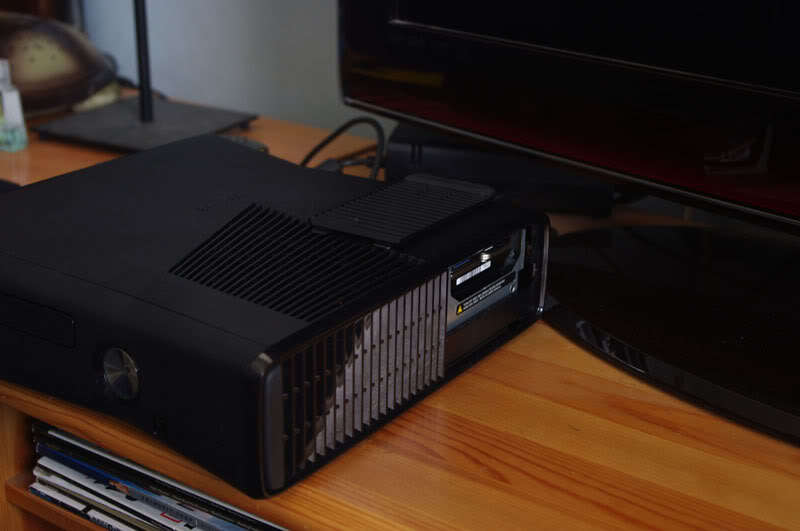
If you have a HDD inside the console already. “Removed it”
Now place the Hacked HDD into the slot and be sure the SATA port is correctly connected and secure. “It may take a few tries before you get it”
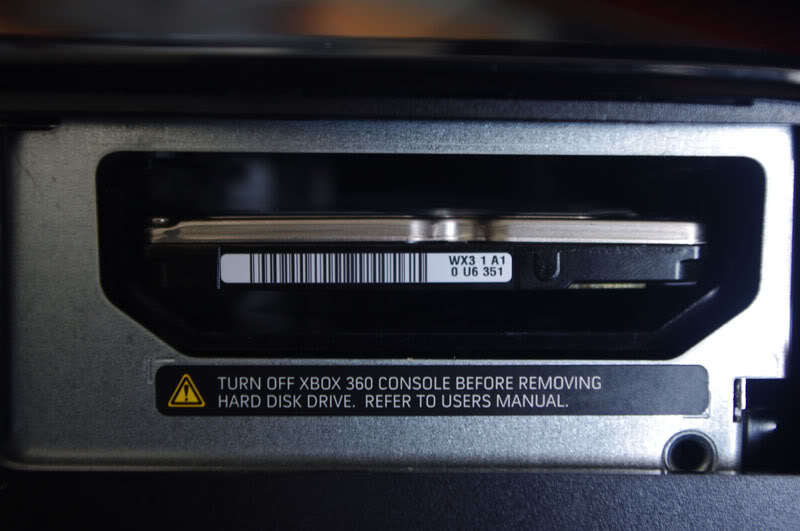
You now have a 250GB Drive in your SLIM “Only useful if you bought a 4GB Console”
FAQ
I did write this tutorial, but i am in now way taking credit for the whole thing as I Just rewrote it in my way and brought it here.
Any other support can be asked on this thread or PM me for help.
HELP Credit to InsaneNutter @ http://digiex.net/guides-reviews/console-guides/xbox-360-guides/3152-xbox-360-how-hack-250gb-sata-drive-work-xbox-360-xbox-360-slim.html
[details=Open Me]HDDHackr doesn’t work for me:
99% of problems are caused by the SATA chipset on your motherboard or BIOS configurations such as Legacy IDE not been enabled, AHCI been enabled or Raid been active.
If you still have problems try using another computer with a different SATA chipset. It might also be an Idea to check the official Hddhackr release thread on Xbox Hacker too.
HDDHackr still doesn’t work for me, can i try anything else?
You can have a look at Harcrofts tutorial on How to Flash Your HDDSS.bin in Windows. Read the tutorial very carefully and do so at your own risk.
Some of my save games no longer work:
The easy solution to this is to move the save game on to the memory card from the old hard drive, if it will let you. Not all saves let you move them between storage devices.
DrDrrae has posted a solution that doesn’t require a memory card, Link.
I have attached CONcept and Hash Block Calculator which he says are required. Ive not tested that myself as all my game saves appear to work, fine however people have stated it works perfectly.
I restored my data back however the Xbox 360 doesn’t see it?
Have a look at my post here, that explains where your files likley ended up and a solution to get them in to the folder you want.
I want to be able to drag and drop files with Xplorer 360
UAC has to be switched off for this to work, simply running the program with admin rights doesn’t work.
To do this in Windows 7 go to Control Panel\User Accounts and Family Safety\User Accounts and select “Change user account settings” Now slide down to never notify and hit ok. You might need to re start your pc for the changes to take effect. Remember to enable UAC again when you are finished.[/details]
I did take some time into making this, this morning, so to see it go to waste would be a shame.
I also gave credit where necessary, so dont be an ass.
