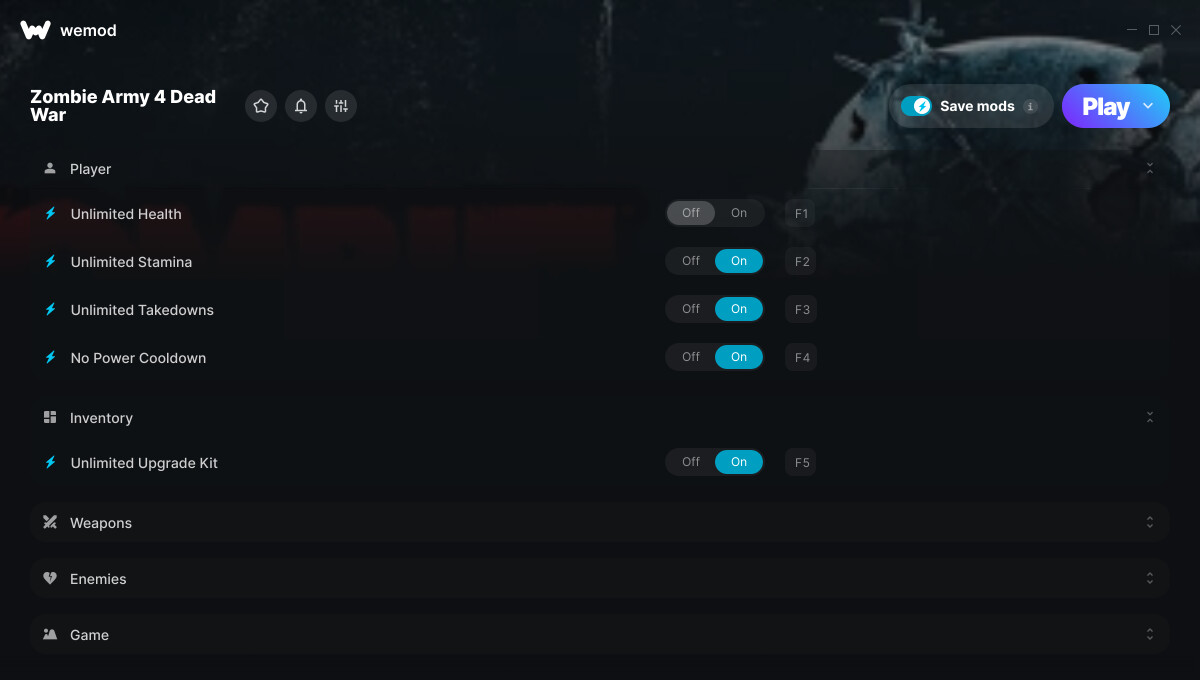
1. Unlimited Health
2. Unlimited Stamina
3. Unlimited Takedowns
4. No Power Cooldown
5. Unlimited Upgrade Kit
6. Better Accuracy
7. Unlimited Ammo / Gadget
8. No Recoil
9. No Reload
10. Unlimited Special Ammo
11. One-Hit Kills
12. Easy Brain Buster
13. Set Score
Important Notes:
Click here to view important information about these cheats.
Launch the game from the Xbox App and select DirectX 12.
Screenshot:
Supported Game Versions:
We strive to keep our trainers up to date with the latest game versions. WeMod automatically detects which version you have installed and activates the mods accordingly. So there’s no need to worry about which version of the game you have!
Updates and Changes:
04/26/2021 Started development
04/26/2021 Released trainer with 13 cheats
05/07/2021 Bug fixes and game compatibility improvements
06/24/2021 Bug fixes and game compatibility improvements Updated notes
08/10/2021 Bug fixes and game compatibility improvements Updated notes
Same problem with the windows store version. Weirdly when starting the Windows store version it says to launch dx 12 version from steam :S the when you launch and tab back it won’t find the game.
I did manage to get it to work. DO NOT START THE GAME open We Mod and then click play when you do it will open Zombie Army 4 Dead War launcher then click “Launch(DX12)” then the trainer should connect if it does not just click retry then it will work. This works for me
The issue is that Microsoft typically converts their files/content to .LNK instead of using .EXE which is what Wemod looks for when finding game files. This has been an issue with me for multiple games from Microsoft store or the Xbox app. If you find a good way around, let us know pls.