This is the official discussion topic of the Cities: Skylines II Trainer and Cheats in the WeMod app. Please post any suggestions, bug reports, or praise that you may have for the cheats in here!
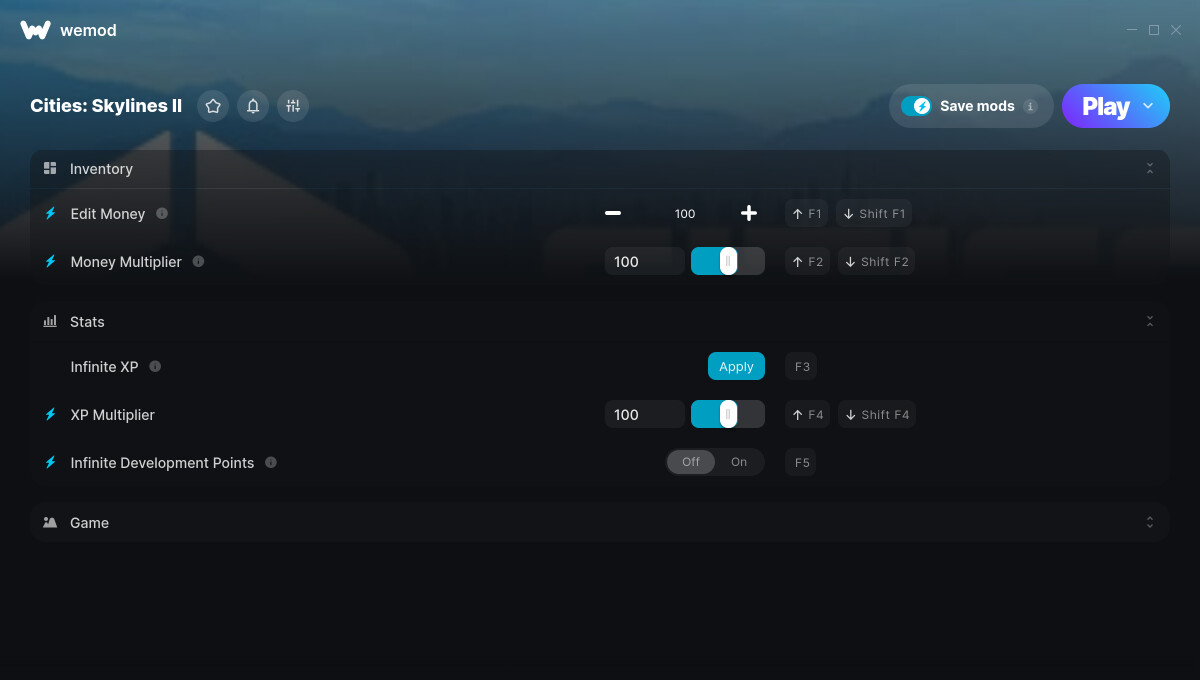
1. Edit Money
2. Money Multiplier
3. Infinite XP
4. XP Multiplier
5. Infinite Development Points
6. Set Game Speed
Screenshot:
Supported Game Versions:
We strive to keep our trainers up to date with the latest game versions. WeMod automatically detects which version you have installed and activates the mods accordingly. So there’s no need to worry about which version of the game you have!
Updates and Changes:
10/26/2023 Started development
10/26/2023 Released trainer with 1 cheat
04/14/2024 Edit Money cheat added Money Multiplier cheat added Infinite XP cheat added XP Multiplier cheat added Infinite Development Points cheat added Set Game Speed cheat added
07/20/2025 Bug fixes and game compatibility improvements
Hi there, not sure if this matters, but the link to download in the wemod app points to Cities Skylines - Windows 10 edition and not Cities Skylines 2. I have Cities Skylines 2 installed but the app will not find or recognize the install. (XBOX store).
I have the game through Game Pass, unfortunately, it doesn’t find it, and Xbox doesn’t have tolerance for their download content file permissions; can’t link the .exe. Is there a solution for this?
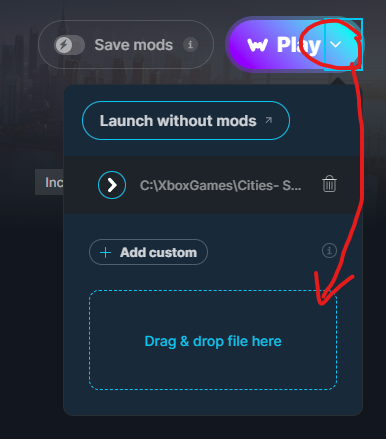
Yea that’s a great idea however that was my first thought to do when i noticed… however even with a custom line straight to the file and location it still pops cities windows edition not the cities 2 from gamepass. for some odd reason no matter what is done it’ll still pop to the original cities and not the new game. so i suppose we sit and wait for the mods
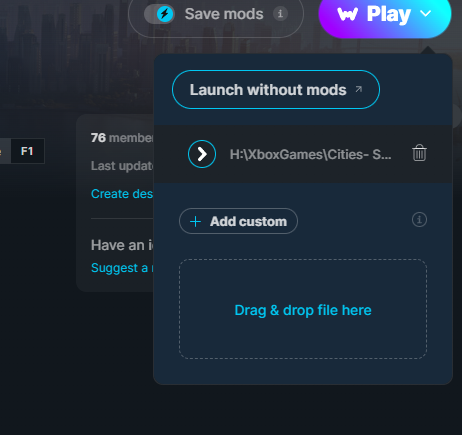
Did you click “Add Custom” or did you drag the Cities2.exe into the box? Add Custom didn’t work for me, but dragging it did. Once I did that, I was able to click Play and it worked. The only time I saw anything about Cities1 was when I just tried to click the Purple button.
Ive managed to sort mine, If you have dragged the .exe file over if it isnt there, once you build lets say a road, use the keybinding F2 to increase the money, inputting an amount directly into the box doesnt increase the money for me.
Im using the xbox gamepass version and the set money cheat does not work at the moment, i have tried spending money first on a new save and then using the cheat and get nothing. not sure if its something im doing wrong, but i figured i might as well bring it to your attention if it wasnt already.