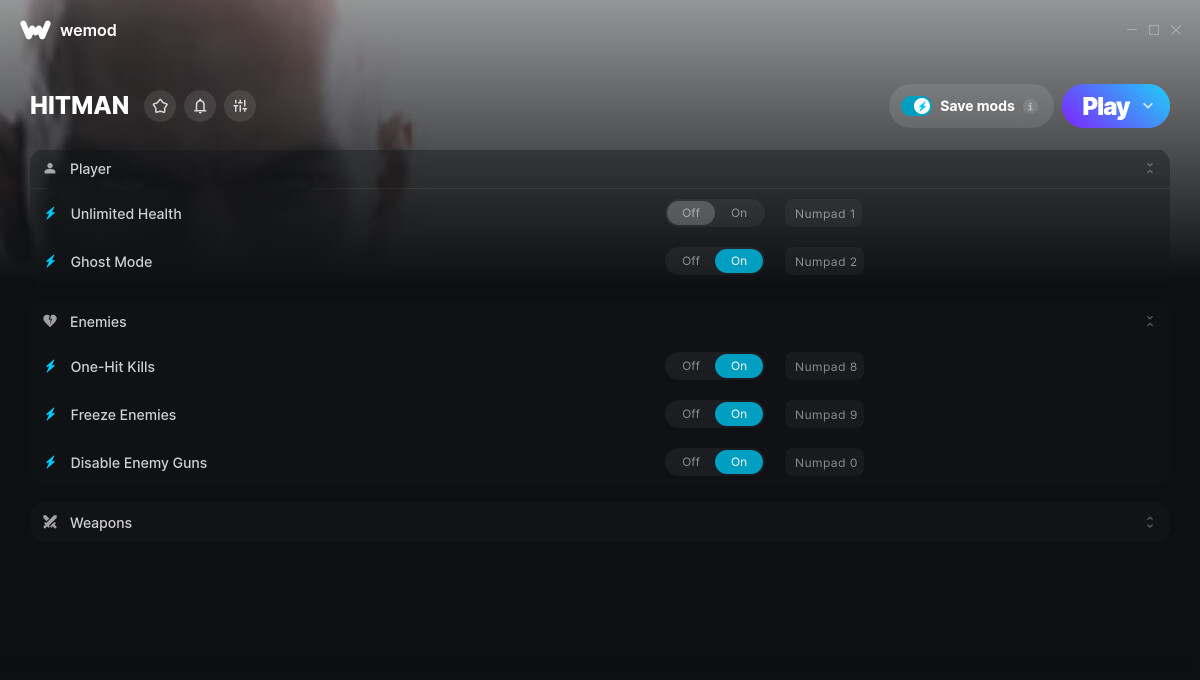
This is the official discussion topic of the HITMAN Trainer and Cheats in the WeMod app. Please post any suggestions, bug reports, or praise that you may have for the cheats in here!
1. Unlimited Health
2. One-Hit Kills
3. Unlimited Ammo
4. No Reload
5. No Recoil
6. Rapid Fire
7. Super Accuracy
8. Freeze Enemies
9. Disable Enemy Guns
10. Ghost Mode
Screenshot:
Supported Game Versions:
We strive to keep our trainers up to date with the latest game versions. WeMod automatically detects which version you have installed and activates the mods accordingly. So there’s no need to worry about which version of the game you have!
The update, which was to fix an issue with the saving system in the game, was released on the 3rd September. The trainer was released afterwards, on the 4th September.
My game is crashing too. I have way above minimum specs for the game, updated my drivers, verified my file in Epic, am not cheating, and my game isn’t pirated - bought from Epic. The game works fine by itself but as soon as I enable any cheats, it just crashes. No error message, just crashes.
Hi, Hitman keeps crashing a few minutes into the game. Ive tried starting from epic first then starting wemod and starting from WEmod itself…anything Im doing wrong?
thank you
I’m also having this game crashing problem, as soon as I use Wemod, my game suddenly crashes with no warning. Have you solved your problem and can you give me some advice. (I’ve tried everything I can, including verifying the integrity of the game files, etc.)
Hi! I assume you purchased your game from Epic. Have you attempted launching the game initially on epic games, waiting until you can freely navigate within the game world, and then opening the mods by clicking PLAY on WeMod App?
@Sephyyy - Yes, I purchased the game at Epic. I launch the game through Epic every time I start it, and I’ve tried what you said, but it still doesn’t solve the problem of the game flashing back after using Wemod
@Daenyuil - Did you get your problem solved, I’m having this problem too
I see. Thanks for the info. Try to verify integrity files on epic games. Open the Epic Games Launcher >Find the game in your Epic Games Library >Click the three dots on the right side of the game line>Select Manage>Click the Verify button>Wait for validation to complete. It may take a while to verify all your files. Then force quit/close the WeMod App then re-launch the apps.