Type of Problem : Unable to find a version of the runtime to run this application
OS : Windows XP
Antivirus/Firewall : None
Extra Information : Running of VMWare, have .Net Framework 4 Installed
Download .NET Framework 2.0 and the install 3.5, then finally 4.0 again. Hopefully should work then.
- Type of Problem : Not Loading, Nothing Happening after double clicking
- OS : Windows Vista
- Antivirus/Firewall : None. Added exception to windows firewall, still not working.
- Errors : “Horizon has stopped working” Right when I double click Horizon Beta.exe
Make sure you’ve got .NET Framework 3.5 installed. Or try Oscar’s fix in one of the spoilers.
- Type of Problem: does not run. Windows error report pops up
- OS :Mcrosoft indows Xp Profesional service pack 3
- Antivirus/Firewall : Microsoft Seccurity essentials
- Errors : doesnt run
- Extra Information :
Please can you tell me, when the error pops up, what does it say.
Thanks!
His problems been resolved now, so it’s all good 
after install .NET Framework 2.0, 3.5, and 4.0. i try open horizon again but nothing happend. i open task manager, the horizon run until 30,000k then vanish.
Stop bumping threads!
Removed.
View this thread here - https://www.wemod.com/forum/20-horizon-support/30990-horizon-not-loading-fix.html or just look at the spoiler on the first page of the thread, saying “Oscar’s Fix”
- Type of Problem: Does not run. Windows Error Report popup
- OS :Windows 7 Ultimate x64
- Antivirus/Firewall: None
- Errors : Doesn’t run
- Extra Information:
Description:
Stopped working
Problem signature:
Problem Event Name: CLR20r3
Problem Signature 01: horizon.exe
Problem Signature 02: 1.1.7.1
Problem Signature 03: 4d2e0e02
Problem Signature 04: System.Drawing
Problem Signature 05: 2.0.0.0
Problem Signature 06: 4a275e83
Problem Signature 07: 7af
Problem Signature 08: 6c
Problem Signature 09: System.ArgumentException
OS Version: 6.1.7600.2.0.0.256.1
Locale ID: 1033
Read our privacy statement online:
Windows 7 Privacy Statement - Microsoft Windows
If the online privacy statement is not available, please read our privacy statement offline:
C:\Windows\system32\en-US\erofflps.txt
Is avira better than norton because i never heard about it?
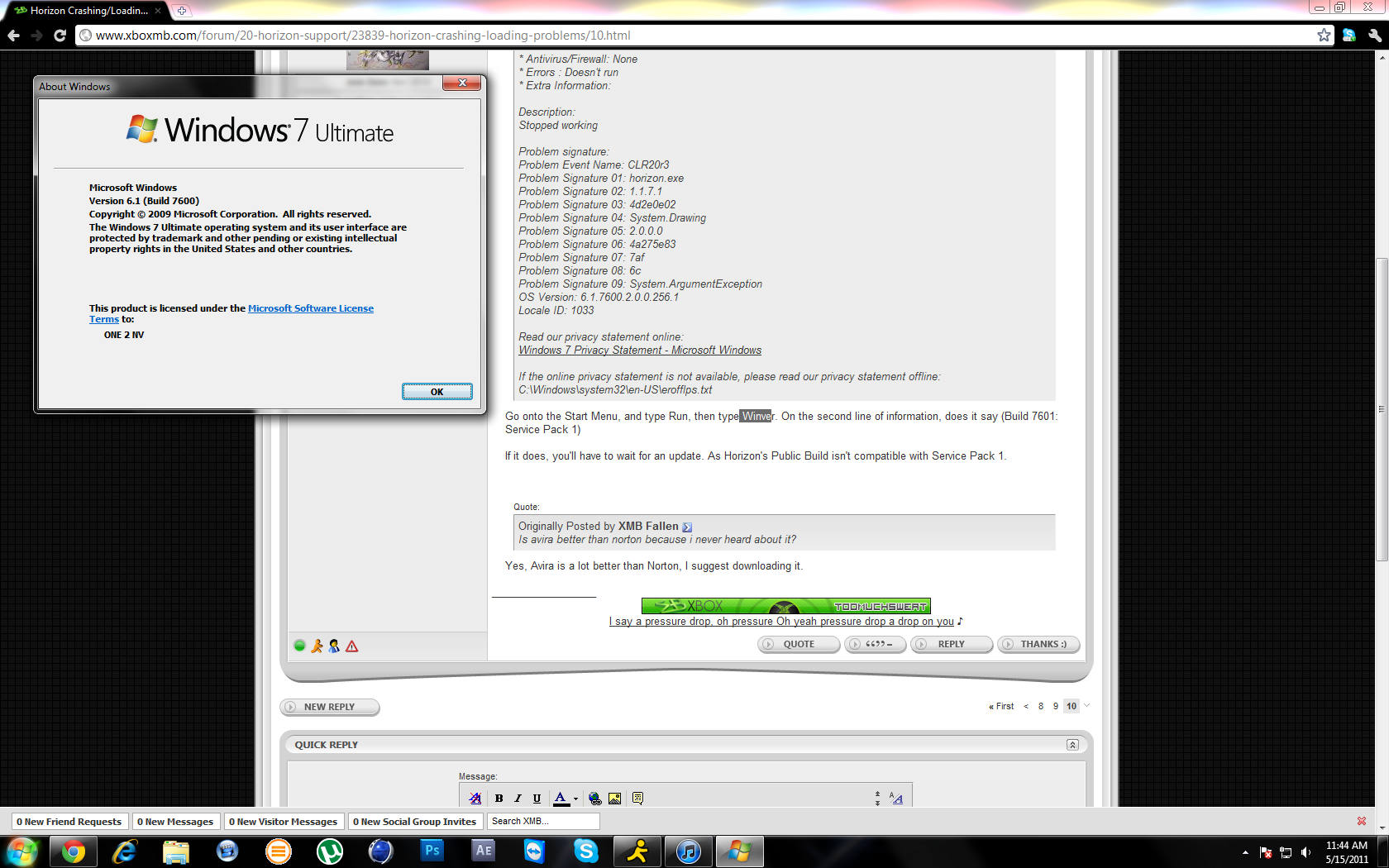
Go onto the Start Menu, and type Run, then type Winver. On the second line of information, does it say (Build 7601: Service Pack 1)
If it does, you’ll have to wait for an update. As Horizon’s Public Build isn’t compatible with Service Pack 1.
Yes, Avira is a lot better than Norton, I suggest downloading it.
There is no need to run Horizon in compatibility mode… Uncheck that box.
I did, still no dice! The only thing that I’ve changed is now I’m running RAID0.
- Type of Problem : (Nothing Happening after double clicking)
- OS : I test it on Xp,Vista,Windows 7(32bit)(service pack 3)
- Antivirus/Firewall : -
- Errors :
- Extra Information :Now I’m on the internet found the old version of horizon, I have it running but it asks to update after update can not turn on.
I test horizon on 5 computers! new version didn’t work!!
You’re saying you have no AV or Firewalls? Have you tried right clicking and running as admin?
Yes I have tried in Admin mode,I deleted my Av(Avast) and turn off FireWall
Today i Buy Diamond horizon and cant turn on  ((((
((((