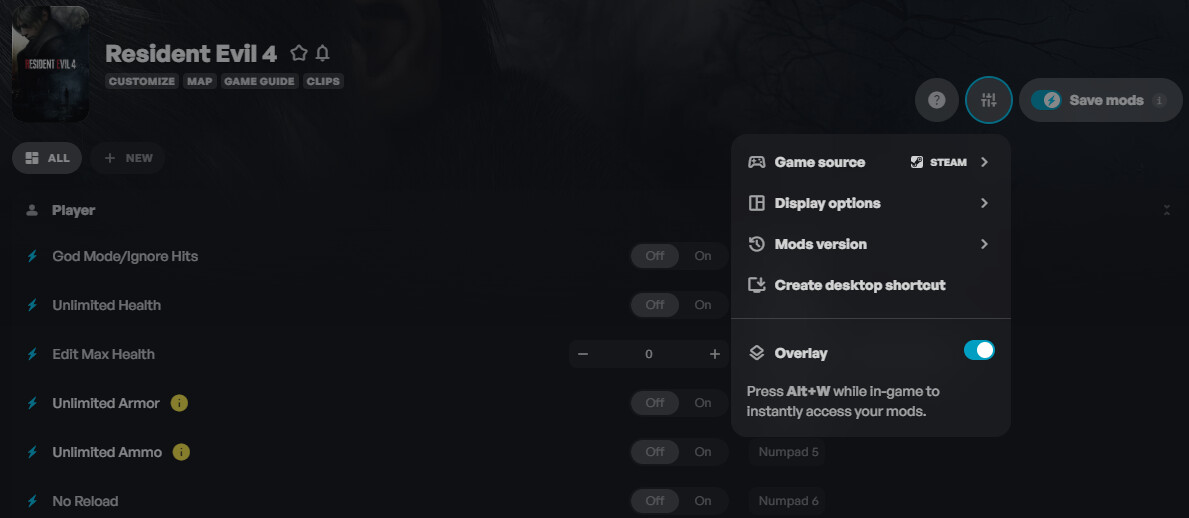
This trainer was tested on the 5th, and the game’s last update was 5 months ago. If you’re using third-party mods or have used them with your current save, that’s likely the cause of the crashes. If you still experience crashes with a vanilla save, try disabling the WeMod overlay.
1 Like
Hello,
thanks for replying.
I was trying it on Linux Mint and as soon as I was enabling any option, the game was closing.
I decided to try it on W10 and it worked first try.
my game has no other mods and the save is vanilla
Regards
Sam
1 Like
Hey @Samikaz That’s because Linux doesn’t meet the requirements for WeMod to run smoothly.
1 Like
yes I understand that I am outside the requirements but wemod works on linux with other games. Not with RE4. I think the file that we need to add is not recognized properly even thougn I can see the overlay of Framework.
Anyway, all good. Thanks for your time.
1 Like
Yeah, none of the mods are working for my game yet. I meet all of the requirements, yet nothing works and the game just completely crashes.
1 Like
Hey @HotAvocado8426 have you downloaded the latest REFramework?
1 Like
How do you do that? I have made sure everything is up to date.
1 Like
I just checked; everything is up to date.
1 Like
I just upgraded my PC, and still, this mod does not work for this game.
1 Like
Please add a cheat to auto-parry enemy weapons.
1 Like
It’s honestly hard to think we are going to get any of this game fixed and able to play with mods activated. As it has gone months upon months I’m not even sure, but possibly almost a year without any service to get it fixed. I’m hoping that it does soon, all we can really do is pray and cross our fingers that whoever is in charge of fixing or doing work on this mod for Resident Evil 4 they actually do work and fix it. Because every time I boot the game and then as soon as I press activate for my mods whether it’s before the game is launched or after I launched the game, the game ends up crashing completely along with my computer.
1 Like
I absolutely love my PC. It has a Geforce RTX 5090 graphics card along with other good specs on it as well. And after putting some money into upgrade it for overall gaming I figured that maybe finally the mod would work. But the game still crashes the entire computer along with the game itself. So I think the problem does lie somewhere where the developers themselves of the mod have to fix the mod. Definitely not my Computer causing the problems that I thought was a slight possibility before. But now I definitely know it’s not my computer causing the problems. It’s probably something within the mod settings that the developers have to fix or tweak a bit.
1 Like
@HotAvocado8426 If your entire PC is crashing, that’s definitely a hardware or Windows issue! Have you checked the Event Viewer after the crash to see if any errors are being logged?
1 Like
Hi so I guess I should rephrase what I said, it’s not my computer itself crashing. It’s the game itself crashing. Like I’m able to play the game normally just fine, but when I try to activate the mod in any way whether it’s during the game already open, or before the game opens to try it different ways of launching the mod, The entire game just crashes as soon as the mod is tried to be activated. I’ve even tried looking at the most recent updates and terms and services and so on and so forth. At this point, I don’t even know how to get the thing to work.
1 Like
Yeah, I just tried again, and the game completely froze when I tried launching the mod. And then after that the screen turned black and exited me out of the game and went right back to my home screen on my computer.
1 Like
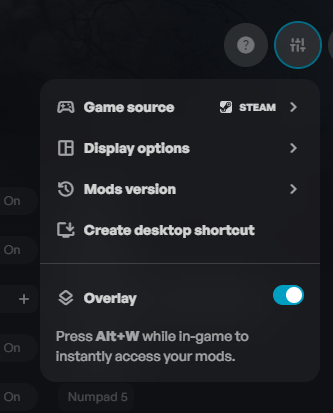
Yeah, I just tried doing the pressing alt W button at the same time and then I tried pressing the alt button first and then the West and then the West and then the alt button but it never worked. The mods just don’t turn off or on pressing the alt W buttons. Is there another way of turning on the overlay option without the alt plus W button?
1 Like
yeah, nothing works still even doing that.
1 Like
I know this might be asking a lot, but is there a way to fix this? Or are you able to do anything about it?
1 Like
game crash with wemod
2 Likes