I opened the app once and it didn’t load, it took 2 launches from running it as an administrator and it only gave me either a blank or a black screen. I tried every solution possible by reinstalling, deleting the files on appdata and even turning off my defender (which is just Windows Defender) and using the offline installer, even the part with BitDefender. Nothing seems to be working.
I do want to find other ways, but I wouldn’t want to reset my pc because I’ve been doubting if I might lose my data as I researched of course. My pc’s running fine, it was just a day after I used it then had this issue and stopped working properly ever since.
Corruption is nobody’s fault in particular - not yours, WeMod’s, or Microsoft’s - It’s just one of those random occurrences that perhaps everyone deals with at least once at some point when it comes to modern technology.
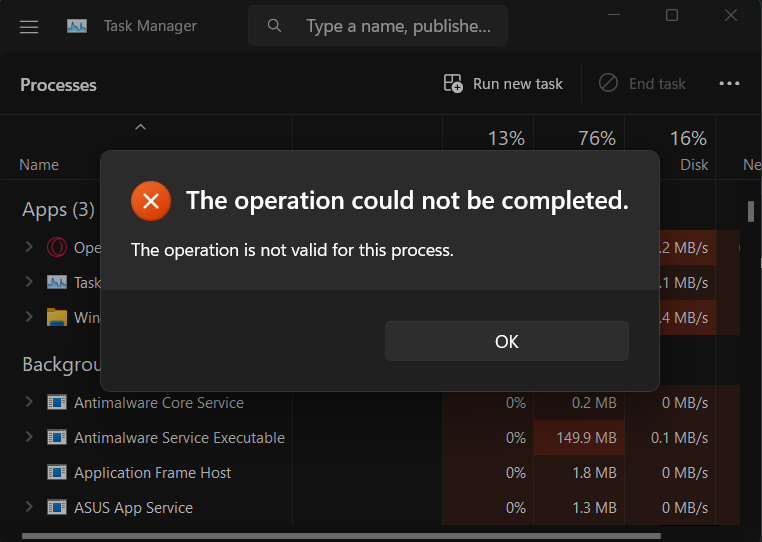
I scanned my drive from the SFC and DISM suggestion you gave me, it was repaired automatically no other issues to fix after the reboot and unfortunately, the same problem persists :<. It wasn’t identifiable when I ended the process in my Task Manager
Really? Damn… even uninstalling it from the control panel, doesn’t even have a client where it prompts the reason I’m uninstalling WeMod. But thank you for lettting me know, I do wonder where you* got this from hshs
It’s very common for trainers to trigger what is called a false positive in anti-virus programs. This is caused by the way that trainers work, which is by injecting code into memory addresses that the game is using within your PC’s RAM. Trainers have been working this way (and getting flagged by anti-viruses from time to time) since the 1980s.
Thanks for the notes however it still does not working, same problem when excluded from Antivirus, it’s almost like the app is not rendering or failing to load some sort of runtime environment
show up at the top of the task manager unless you open it twice then the weird screen appears, lower down it loads three instances of WeMod - Cheats and Mods ( 32 bit) even though I have a 64 bit machine, on top of that it keep opening and closing WeMod.exe (32 bit)
Helloo, good day! I appreciate the help after a few weeks of trying a solution, it still wouldn’t work and even exempting it has the same problem that happened ever since.
This is not a widespread issue, it only appears to be affecting a very tiny number of WeMod’s millions of active users. This indicates that the issue is more likely to be a user-sided one. Nevertheless, we’re happy to try to help.
If you use Nvidia, there could be a setting conflict. To test this:
(a) Make sure WeMod is fully closed, including from the system tray.
(b) Create a shortcut for WeMod on your desktop.
(c) Right-click the shortcut, select Properties.
(d) Add the following onto the end of the “target” field under the Shortcut tab: --disable-gpu
So that it looks like this: C:\Users\YOUR_USERNAME\AppData\Local\WeMod\WeMod.exe --disable-gpu
Then try launching from this shortcut.
Check your GPU driver for an update. But do so on the GPU maker’s official website. Windows’ built-in “Check For Updates” tool is useless and misses new updates frequently.
Let us know how it goes and have an awesome weekend!
I was able to get my wemod working, I appreciate your support, I think it was my drivers because there was an update, so I did that and I was able to get it running, I’d like to thank you for you help. And you too, have a great weekend